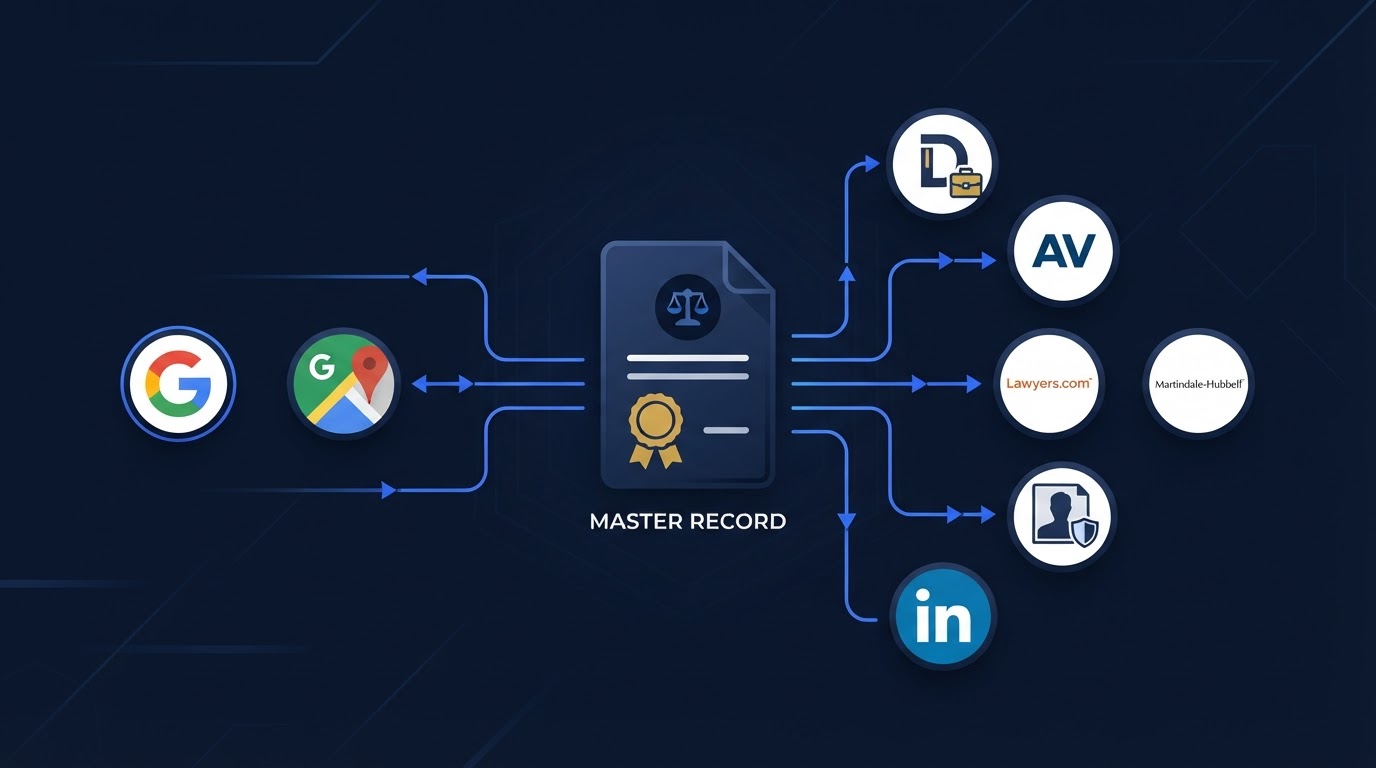
Law Firm Online Presence Audit: How to Find Incorrect and Conflicting Information
A practical guide to auditing a law firm's public information across its website, Google, maps, State Bar records, legal directories, and professional profiles, including what to check, which differences matter, and how to prioritize corrections.
Key Takeaways:
A law firm online presence audit evaluates whether public sources accurately describe the same firm, attorneys, offices, services, and contact pathways. Not every wording or formatting variation is a meaningful inconsistency. Wrong phone numbers, websites, offices, attorneys, or practice areas generally deserve higher priority than punctuation differences. A service area, mailing address, virtual office, and staffed office are not interchangeable. Examine website information and important third-party sources together. Document each discrepancy before anyone attempts to correct it. Ownership and login access are part of profile management. An audit can identify observable conflicts but cannot prove why a search or AI platform produced a particular result. Accurate information supports prospective-client trust and discoverability but does not guarantee rankings or recommendations.
Prospective clients, search engines, maps, legal directories, and AI-assisted discovery tools may all encounter information about your firm from different sources. When those sources disagree, a person trying to verify your firm can become confused about where to call, which attorney to ask for, or whether your office is still open. A law firm online presence audit is a structured review of publicly available information about the firm. For a broader introduction to how these signals fit together, see our AI Search Visibility for Law Firms guide.
What a Law Firm Online Presence Audit Is
The audit compares information the public may see, including the firm name, attorney names, office locations, mailing addresses, phone numbers, website URLs, consultation or appointment links, office hours, practice areas, languages, jurisdictions and admissions, attorney roles, firm descriptions, professional credentials, profile ownership, and duplicate or outdated profiles. The goal is to confirm that the sources a prospective client is likely to encounter identify the correct firm and describe it accurately.
A presence audit is not the same as a complete technical SEO audit, a website accessibility audit, a cybersecurity assessment, a legal advertising review, a conflict check, a privacy audit, a complete brand audit, or a guarantee of visibility. It focuses on observable public information rather than internal systems, legal conclusions, or promised rankings.
What an Online Presence Audit Does Not Prove
An audit can show that two public sources disagree about your phone number or office address. It cannot prove why a search engine ranked a particular result, why an AI platform produced a particular answer, or whether a single mismatch caused a lost client. Search and AI systems use many signals that are not publicly documented, and results can vary by location, device, personalization, and time. Treat audit findings as observable conflicts to correct, not as confirmed causes of a ranking or recommendation outcome.
Why Public Information Becomes Inaccurate
Information drifts for ordinary operational reasons, not always because of negligence or manipulation. Common causes include office relocation, a changed phone number, a new website, rebranding or firm-name changes, attorney arrival or departure, practice-area changes, new or discontinued languages, changed office hours, old tracking numbers, former agencies or employees retaining access, automatically created profiles, duplicate profiles, data copied from another source, platform formatting differences, old biographies, legacy consultation links, and closed or merged locations.
- Office relocation or a new mailing address
- Changed main phone number or retired tracking number
- New website domain while directories still link to the old one
- Rebranding or a former firm name still shown as current
- Attorney arrival or departure not reflected on firm pages
- Practice-area changes not updated on directory profiles
- Changed office hours or a closed or merged location
- Former employee or agency access that was never removed
None of these automatically indicate negligence or manipulation. Many are normal side effects of running and changing a firm.
Smartzilla's Five-Layer Law Firm Presence Audit
The following is an original Smartzilla practical framework for reviewing a firm's public presence. It is not an official State Bar process, a Google ranking system, an AI ranking formula, a legal or ethical standard, a complete local SEO audit, or a guarantee of search visibility or client acquisition. It organizes a review into five layers so the firm can work through each one deliberately.
Smartzilla's Five-Layer Law Firm Presence Audit
| Layer | What it verifies | Example information | Main risk | Suggested owner |
|---|---|---|---|---|
| 1. Firm identity | Name, domain, and brand | Legal name, DBA, website URL | Wrong firm linked to the profile | Managing partner or operations lead |
| 2. Office and contact | Address, phone, hours, website | Street address, main phone, appointment URL | Wrong or closed office shown as active | Office administrator |
| 3. Attorneys and credentials | Attorney names, Bar status, bios | Admission jurisdictions, education, photo | Departed attorney shown as current | Attorney or authorized administrator |
| 4. Practice areas and geography | Services and coverage | Practice areas, service area, languages | Stated services the firm does not accept | Managing partner |
| 5. Contact and consultation | How inquiries reach the firm | Forms, chat, scheduling, email | Broken consultation link or unmonitored inbox | Intake owner |
Layer 1: Firm Identity
Review the current legal or public-facing firm name, legitimate alternate name formats, former firm names, logo and visual identity when relevant, website domain, business descriptions, organization type when publicly stated, and any duplicate or outdated firm profiles. Harmless differences may include 'and' versus '&', common punctuation differences, 'Suite' versus 'Ste.', capitalization, and platform-required abbreviations. These variations are not automatically problems when the underlying identity remains clear and accurate. More serious identity conflicts may include a former firm name presented as current, a different law firm linked to the profile, the wrong website, a duplicate profile representing a closed office, a profile combining two different attorneys or firms, or an outdated brand that confuses where an attorney currently practices. For how trust signals affect verification, see our article on 12 digital trust signals for law firms.
Layer 2: Office and Contact Information
Review the staffed physical office, mailing address, service area, virtual office, shared office, former office, main phone number, department or tracking numbers, office hours, website, appointment URL, and directions or accessibility information when appropriate. These are not interchangeable. A service area is where the firm accepts matters or wants to attract clients, not a staffed office. A mailing address does not prove local presence. A virtual office is not automatically eligible for a business listing. Avoid creating fake offices, treating a service area as a physical office, using an address where the firm is not genuinely located, keeping a closed location active, listing phone numbers that no longer reach the firm, or using tracking numbers without documenting where they route. Platform eligibility and display rules should be reviewed using current official guidance, such as the official Google Business Profile guidelines.
Layer 3: Attorneys and Professional Credentials
Review each attorney's current professional name, firm affiliation, office association, State Bar profile, admission status, jurisdictions, education, languages, approved certifications, professional memberships, current biography, profile photo, former-firm profiles, and departed attorneys still shown on firm pages. Confirm attorney and admission information through the appropriate official licensing authority rather than assuming a directory is accurate because it appears online. Smartzilla does not verify legal eligibility or professional standing beyond comparing publicly available information. For how attorney profiles affect discovery, see our article on attorney bios and AI search visibility.
Layer 4: Practice Areas and Geographic Coverage
Look for conflicts such as a website that says personal injury only while directories still list immigration or criminal defense, a former practice area that remains on an attorney profile, a broad 'general practice' label conflicting with a focused website, a directory listing services the firm does not currently accept, a website claiming an office in a city where the firm only serves clients, a profile implying specialization the firm has not approved, or Spanish-language service advertised with no Spanish intake path. Distinguish among a licensed jurisdiction, a physical office, a service area, the area where the firm accepts matters, the geographic market the firm wants to reach, a practice-area focus, and legally regulated specialization claims. Advertising and specialization rules differ by jurisdiction and should be reviewed by the firm. For related guidance, see our article on practice-area pages and AI search visibility.
Layer 5: Contact and Consultation Pathways
Review the main phone, click-to-call links, contact forms, consultation request forms, scheduling calendars, chat tools, email addresses, text messaging, language selection, confirmation messages, after-hours handling, broken links, unmonitored inboxes, and forms that submit successfully but do not create a usable record. Accurate profile information has limited value if the contact pathway is broken or nobody owns the inquiry. For related workflows, see our Law Firm Intake Process Checklist and our article on missed calls and after-hours inquiries.
Where Law Firms Should Check Their Information
Review the sources a prospective client is likely to encounter, the sources that appear prominently for branded searches, and the sources that send inquiries. Not every firm needs every platform. Prioritize sources that contain authoritative professional information, display an office, attorney, or practice area, or are frequently cited or linked elsewhere.
Common Sources to Review During a Law Firm Presence Audit
| Source type | What to verify | Who may control it | Common issue | Priority note |
|---|---|---|---|---|
| Law firm website | Name, offices, attorneys, practice areas, contact links | The firm | Outdated attorney or location pages | High priority; compare against the firm's approved internal records |
| Google Business Profile and Google Maps | Address, phone, hours, categories, website | The firm or a verified owner | Wrong phone or closed office shown as active | Review if eligible; appears for branded and local searches |
| Official State Bar or licensing profile | Admission status, jurisdictions, firm affiliation | The attorney or licensing authority | Former affiliation still listed | Authoritative for attorney credentials |
| Apple Business Connect or Apple Maps | Address, phone, hours | The firm or a verified owner | Duplicate or outdated location | Review where clients use Apple devices |
| Bing Places | Address, phone, website | The firm or a verified owner | Legacy information | Review where relevant to the market |
| Avvo, Justia, Martindale-Hubbell | Attorney bios, practice areas, contact | The firm, attorney, or platform | Auto-created profiles with old data | Review if the firm is listed |
| Yelp | Address, phone, categories | The firm or a claimed owner | Wrong phone or category | Review if clients use it |
| LinkedIn company page and attorney profiles | Firm affiliation, attorneys, description | The firm and individual attorneys | Departed attorney still listed | Review for firm and key attorneys |
| Facebook business page | Phone, hours, website | The firm | Unmonitored inbox | Review only if maintained |
Which Differences Matter and Which May Be Harmless
Not every difference is a problem. A factual contradiction, such as two different phone numbers both presented as the main line, is different from outdated information, missing information, platform-specific formatting, legitimate alternate wording, a duplicate profile, or unverified information.
Harmless or lower-priority differences may include 'Suite 428' versus 'Ste. 428', 'Law Office of' versus an approved shortened display name when both clearly identify the same firm, different biography lengths, different image crops, and different category structures required by platforms. Potentially serious differences may include a wrong phone number, wrong firm affiliation, a closed office shown as active, the wrong website, a departed attorney shown as available, an outdated or incorrect practice area, incorrect admission information, a broken consultation link, a duplicate listing with conflicting information, unauthorized profile access, or a contact form that does not reach the firm.
Smartzilla's Law Firm Presence Discrepancy Levels
The following is an original Smartzilla practical prioritization framework. These levels are not official platform or State Bar classifications. They help a firm decide what to correct first.
Smartzilla's Law Firm Presence Discrepancy Levels
| Level | Meaning | Examples | Recommended next step |
|---|---|---|---|
| Critical | May send a prospective client to the wrong firm | Wrong phone, wrong website, wrong attorney or firm identity, closed office shown as active, unauthorized contact method | Correct immediately and verify the fix |
| High | Materially misleading about the firm today | Incorrect practice area, duplicate active listing, outdated address, departed attorney shown as current, broken consultation link | Correct before lower-priority work |
| Medium | Incomplete but not clearly misleading | Incomplete attorney bio, missing language information, missing consultation details, outdated photos | Schedule a correction |
| Low | Cosmetic or formatting | Capitalization, punctuation, common abbreviations, different biography lengths, platform-required formatting | Fix during routine maintenance |
| Verify Before Changing | Could affect ownership, reviews, or eligibility | Unfamiliar tracking number, practitioner listing, shared-office listing, legacy firm name | Confirm the correct fact before editing |
Hypothetical Audit Walkthrough
The following is a clearly labeled hypothetical example. North Park Legal is fictional and is used only to demonstrate the audit method. It is not a real firm, client, result, or case study.
Suppose North Park Legal recently rebranded and moved. During a presence audit, the firm finds that its website uses the current name, its Google Business Profile still uses the prior name, its State Bar profile is current, one legal directory still links to the old domain, Yelp displays the prior office, an attorney who left the firm is still listed on a directory, the website focuses on personal injury while two profiles still list immigration and criminal defense, one consultation link is broken, the primary phone number works, and an unfamiliar tracking number appears on a profile.
- Document each finding with a screenshot or note.
- Identify the authoritative source for each fact, such as the State Bar for attorney credentials and the firm's own records for the current phone and address.
- Assign a discrepancy level to each finding.
- Verify ownership and login access for each profile before editing.
- Correct critical and high-priority issues first, including the wrong name on the Google profile, the old domain link, the departed attorney, and the broken consultation link.
- Record what changed, who made the change, and when.
- Schedule a later verification to confirm each correction appears publicly.
The unfamiliar tracking number should be verified before removal, because it may route to a service the firm still uses, and removing it could break an active intake path or affect reviews tied to that number.
Smartzilla's Law Firm Presence Audit Worksheet
Use the two tables below to record findings. Because the fields are wide, the worksheet is split into two related tables rather than creating horizontal scroll.
Smartzilla's Profile Inventory
| Source | Profile URL | Profile owner | Login status | Last checked |
|---|---|---|---|---|
| Example: Law firm website | https://yourfirm.com | Managing partner | Full access | 2026-10-08 |
Smartzilla's Discrepancy Log
| Source | Field reviewed | Current public information | Approved information | Issue | Severity | Next action | Status |
|---|---|---|---|---|---|---|---|
| Example: Google Business Profile | Phone number | (555) 000-0000 | (555) 123-4567 | Old phone number | Critical | Update and verify | Pending |
Copy these headers into a spreadsheet if you want to build your own working audit file.
Source,Profile URL,Profile owner,Login status,Last checked,Field reviewed,Current public information,Approved information,Issue,Severity,Next action,Status
Preserve screenshots or notes before changing important profiles, especially when duplicate management, ownership, reviews, or platform support may be involved. A record of the previous state helps if a correction causes an unexpected change.
Smartzilla's Five-Minute Branded-Search Test
This is an original Smartzilla practical self-audit. It is a quick diagnostic, not a complete audit, and one search does not prove permanent rankings or universal visibility. Search results can vary by location, device, personalization, and time.
Search for your exact firm name, your primary attorney's name, your firm name plus your city, your firm name plus your phone number, and your firm name plus your primary practice area. Inspect the first page of results and any visible map or profile results for the following:
- Correct website
- Correct phone
- Correct office
- Current attorneys
- Current practice areas
- Duplicate listings
- Old domains
- Former addresses
- Incorrect hours
- Broken consultation links
- Unexpected profiles ranking prominently
The goal is to identify obvious conflicts a prospective client may encounter, not to confirm universal visibility. Follow up with the full five-layer audit when the quick test surfaces a meaningful discrepancy.
How to Prioritize Corrections
Work through corrections in a practical order rather than starting with cosmetic edits:
- 1. Information that sends people to the wrong firm or contact method.
- 2. Incorrect firm, attorney, office, or professional information.
- 3. Closed, duplicate, or misleading location information.
- 4. Incorrect practice areas or geographic claims.
- 5. Broken consultation or contact pathways.
- 6. High-visibility profiles appearing for branded searches.
- 7. Important profiles sending traffic or inquiries.
- 8. Missing but useful information.
- 9. Cosmetic and formatting differences.
A firm should not begin with dozens of minor punctuation edits while a wrong phone number or broken consultation link remains active. Correcting a critical contact error usually does more for prospective clients than fixing a capitalization difference on a minor profile. For how intake quality connects to these corrections, see our law firm intake form questions guide and our Law Firm Website Conversion Guide.
Ownership, Access, and Documentation
For each profile, record who owns it, which email controls it, whether multi-user access is available, whether a former employee or agency still has access, recovery methods, two-factor authentication, approved staff roles, and a change log. Save screenshots, support tickets, submission dates, verification emails, and the status of each requested correction, then confirm the final result.
This article does not provide cybersecurity guarantees. The point is that ownership and access are part of presence management, because a profile no one can log into cannot be corrected.
Common Law Firm Presence-Audit Mistakes
- Treating every small difference as critical.
- Assuming every online profile is controlled by the firm.
- Changing information before confirming the correct facts.
- Deleting duplicates without reviewing their history or reviews.
- Creating fake or ineligible offices.
- Confusing service areas with offices.
- Updating the website but ignoring prominent external profiles.
- Correcting profiles without testing phone numbers and links.
- Claiming services the firm does not handle.
- Leaving former attorneys or staff on current profiles.
- Giving one person sole undocumented access.
- Failing to save evidence of requested corrections.
- Expecting changes to appear instantly.
- Assuming a clean audit guarantees rankings.
- Measuring success only by the number of profiles updated.
How Often Should a Firm Recheck Its Presence?
There is no universal audit frequency. A firm may consider rechecking after moving offices, changing phone numbers, launching a new website, rebranding, adding or removing attorneys, changing practice areas, changing office hours, updating consultation systems, ending a vendor relationship, or discovering a duplicate or incorrect profile. A periodic review can also be useful, but no single monthly, quarterly, or annual schedule is correct for every firm.
Frequently Asked Questions
1. What is a law firm online presence audit?
It is a structured review of publicly available information about the firm across its website, Google, maps, State Bar records, legal directories, and professional profiles to determine whether those sources accurately describe the same firm, attorneys, offices, services, and contact pathways.
2. What information should a law firm verify?
Firm name, attorney names, office and mailing addresses, phone numbers, website, consultation links, office hours, practice areas, languages, jurisdictions and admissions, attorney roles, credentials, and any duplicate or outdated profiles.
3. Does every profile need exactly the same wording?
No. Platforms use different fields, categories, and formatting rules. Minor differences may be harmless when the underlying facts clearly identify the same firm. The concern is whether sources identify the correct firm, attorneys, and contact pathways, not whether every character matches.
4. What does NAP mean for law firms?
NAP stands for name, address, and phone. For law firms it is a shorthand for the core business information that should be accurate across sources. It is not a requirement that every field be character-for-character identical on every platform.
5. Which law firm directories should be checked?
Prioritize directories prospective clients actually encounter and that appear prominently for branded searches, such as your Google Business Profile, State Bar profile, and major legal directories where your firm is listed. Not every firm needs every directory.
6. Does every law firm need an Avvo or Justia profile?
Not necessarily. If a profile already exists and is visible, it is worth reviewing for accuracy. A firm does not need to create a profile on every platform, only on the ones relevant to its market and staff capacity.
7. What should a firm do if an online profile has the wrong address?
Document the current state, confirm the correct address from firm records, verify profile ownership, then update the profile and confirm the change appears publicly. If the address was an old office, also review whether a duplicate listing represents the closed location.
8. Should duplicate law firm listings always be deleted?
Not always. Some duplicates carry reviews or history worth preserving, and deleting one without reviewing its contents can remove valuable information. Review each duplicate before deciding whether to merge, correct, or remove it.
9. What is the difference between an office and a service area?
An office is a staffed physical location. A service area is a region where the firm accepts matters or wants to attract clients. A mailing address, a virtual office, and a shared office are also distinct from a staffed office and are not automatically eligible for the same listings.
10. Can incorrect profiles affect Google or AI visibility?
Incorrect information can confuse prospective clients, and conflicting information may make the firm harder to verify. Google publicly values accurate business information in its products. AI platforms have not published a universal law-firm recommendation formula. This article does not claim a direct or guaranteed ranking penalty from a single mismatch.
11. How can a law firm find old or forgotten profiles?
Run the branded-search test in this guide, search attorney names, check the firm's old domains, review email inboxes for verification messages, and ask former staff or vendors about profiles they created.
12. How often should a firm audit its online presence?
There is no universal schedule. Recheck after meaningful changes such as a move, a new website, rebranding, or personnel changes, and consider a periodic review that fits the firm's rate of change.
13. Can Smartzilla guarantee that every platform will make a requested correction?
No. Third-party platforms control their own data and review processes. Smartzilla can identify possible conflicts and document requested corrections, but cannot guarantee that every platform will accept or publish a change.
14. Does passing a presence audit guarantee rankings or recommendations?
No. Accurate information supports prospective-client trust and discoverability, but it does not guarantee rankings, calls, consultations, or clients. Search and AI results depend on many factors outside an audit's scope. To see how law firms can connect these pieces, review how Smartzilla works.
See What Prospective Clients May Be Finding About Your Firm
Smartzilla's Law Firm Presence Check reviews key public sources for possible conflicts involving your firm's identity, office information, attorneys, practice areas, and contact pathways. Use the findings as a starting point for deciding what should be verified and corrected first.
Run Your Free Law Firm Presence Check
One Law Firm Per Practice Area, Per City.
We only partner with one firm per practice area in a given local radius. If we build an AI visibility system for a personal injury attorney in your city, we will not work with your competitors.
Once a market is locked, it's locked.