Law Firm Website Conversion Guide: How to Turn More Visitors Into Consultations
A practical guide to diagnosing why website visitors may not contact your law firm and improving the path from initial visit to consultation request. Learn how to define conversion actions, reduce friction, connect your website to intake, and measure what matters.
Key Takeaways:
More traffic does not automatically produce more consultations. The website and intake process should be evaluated together, because a form submission is only the beginning of the intake journey. Different pages may require different conversion actions based on visitor intent. Mobile usability and contact accessibility directly affect whether visitors can reach you. Firms should measure qualified inquiries and downstream intake results, not only form submissions. Improvements should be tested against the firm's own baseline rather than against universal benchmarks.
Generating traffic and converting that traffic are separate challenges. A law firm can invest in search visibility, advertising, or content and still see few consultation requests if the website and intake process are not designed to help prospective clients take the next step. This guide explains how to diagnose why visitors may not contact your firm and how to improve the path from initial visit to consultation request. For a broader introduction to how visibility and conversion connect, see our AI Search Visibility for Law Firms guide.
A website conversion does not necessarily mean a qualified inquiry, a scheduled consultation, or a signed client. This article distinguishes among contact actions, completed inquiries, qualified inquiries, scheduled consultations, attended consultations, and retained matters. Each stage involves different people, processes, and measurements.
What Website Conversion Means for a Law Firm
Website conversion is the process of turning a visitor into someone who takes a defined action that moves them closer to becoming a client. For a law firm, the most meaningful conversion actions are usually those that produce a genuine opportunity for the firm to evaluate the inquiry and respond.
A conversion action is not the same as a signed case. A visitor who clicks a phone number, completes a form, or starts a chat has expressed interest, but the firm still needs to qualify the inquiry, conduct appropriate intake, schedule a consultation, and determine whether representation is appropriate.
Define the Conversion Actions That Matter
Possible website conversion actions may include clicking a phone number, completing a consultation-request form, starting a live-chat conversation, sending a text-message request, scheduling an appointment, sending an email inquiry, downloading a useful resource when appropriate, or using directions or location information when relevant.
These actions have different levels of intent and should not automatically be treated as equally valuable. A phone call from a specific practice-area page may represent stronger intent than a generic email from the homepage. The appropriate conversion depends on the firm's practice area, intake process, staffing, case criteria, and client journey.
Distinguish among a contact-action click, a completed inquiry, a qualified inquiry, a scheduled consultation, an attended consultation, and a retained matter. No single action should be treated as the universal primary conversion. The right conversion action depends on how your firm evaluates inquiries and what your intake team can realistically handle.
Match Each Page to the Visitor's Likely Intent
Page purpose may affect the appropriate conversion path. A visitor on a specific practice-area page may have stronger commercial intent than someone reading an educational article. An educational visitor may not be ready to request a consultation immediately, while a visitor on a contact page is actively looking for a way to reach you.
Consider how intent may differ across page types such as your homepage, a practice-area page, an attorney biography page, a location page, an educational blog article, a contact page, a case-results page when ethically permitted, and an about page. Not every visitor is a prospective client. Some may be referral partners, journalists, or competitors. The website should serve the most likely visitor intent for each page without forcing every page into the same conversion path.
For guidance on making your practice-area pages clearer and more useful, see how to build law firm practice area pages for search and AI visibility.
Make the Firm's Practice Focus and Jurisdiction Clear
Prospective clients need to quickly understand what your firm does, where it practices, and whether it can help with their situation. Clearly communicate your practice areas, the types of matters you handle, your geographic service area, your jurisdictions, your office locations, your attorney licensing information, whether you offer virtual consultations, and whether services are available in multiple languages.
When appropriate, clarify situations the firm does not handle. This can reduce unqualified inquiries and help the right visitors feel more confident about contacting you. Do not create false offices, misleading location pages, or jurisdiction claims the firm cannot substantiate. For a broader comparison of how local visibility supports discovery, see Local SEO vs. AI Search Visibility for Law Firms.
Strengthen Attorney and Firm Credibility
Prospective clients may evaluate attorney names and roles, State Bar status, court admissions, relevant experience, practice focus, education, professional affiliations, publications and speaking experience, representative matters or results when permitted and properly qualified, client reviews, contact information, privacy, and professional presentation.
These elements are not confirmed AI ranking factors. They are information that may help prospective clients understand and evaluate the firm and may make the firm's public information clearer across digital channels. For detailed guidance on improving attorney biography pages, see how to improve attorney bio pages for search and AI visibility.
For guidance on managing reviews ethically as part of your credibility strategy, see whether Google reviews influence law firm visibility in AI search.
Improve Calls to Action
A call to action tells the visitor what to do next. Effective calls to action use descriptive language, set clear expectations, are placed where the visitor is most likely to need them, have enough visual contrast to stand out, work well on mobile, align with the visitor's intent, use consistent terminology, and honestly describe what happens next.
Careful examples include:
- Request a Consultation for practice-area or homepage pages where the visitor may be ready to take the next step.
- Tell Us About Your Situation for a form page where a brief description helps the intake team prepare.
- Call the Firm for urgent practice areas where phone contact is the preferred first step.
- Check Consultation Availability when the firm offers scheduling options.
- Send a Confidential Inquiry only when the firm's approved language supports that characterization.
No website form should promise confidentiality, an attorney-client relationship, or representation unless the firm's approved language supports that statement. Do not prescribe one universal call to action for every page. The right language depends on the page, the practice area, and the firm's intake process.
Reduce Friction in Consultation Forms
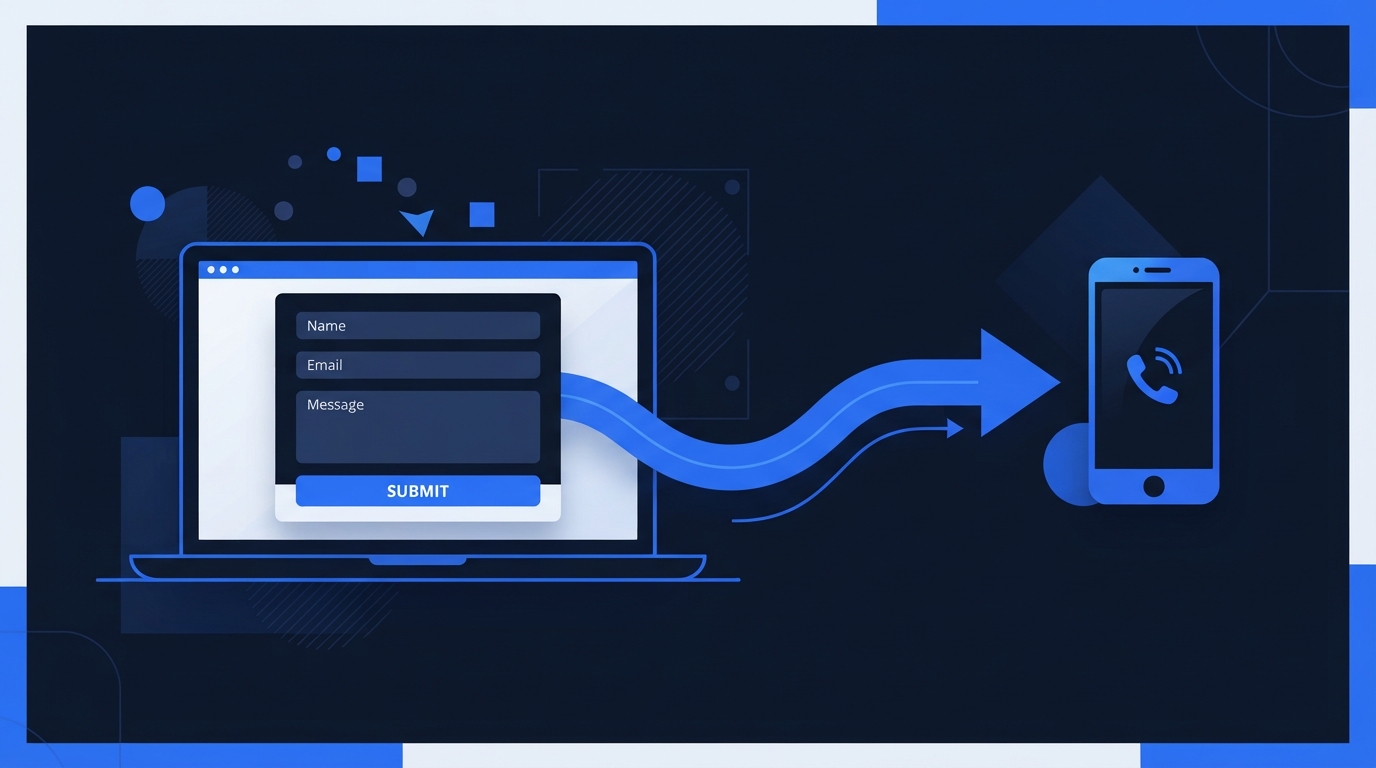
A consultation form should make it easy for a prospective client to provide the information the firm needs to evaluate the inquiry. Evaluate the number and purpose of fields, required versus optional fields, mobile usability, field labels, error messages, confirmation messages, privacy language, conflict-check limitations, secure handling of submitted information, spam protection, routing and notifications, and testing after website updates.
There is no universal ideal number of form fields. Shorter forms may reduce effort, while additional qualification questions may help an intake team evaluate inquiries more efficiently. The appropriate balance should be tested using the firm's own data and workflow. A form that is too short may produce unqualified inquiries. A form that is too long may cause qualified visitors to abandon the process.
Caution: Do not ask visitors to submit highly sensitive, privileged, or unnecessary information through a general website form. A public form is not a secure intake channel. Collect what the firm needs to evaluate and respond, and handle detailed information through appropriate secure intake procedures.
Design for Mobile Visitors
Many prospective clients may visit your website on a phone. Mobile usability directly affects whether they can contact you. Review responsive layouts, readable text, tap-target size, click-to-call links, form usability, navigation, content spacing, contrast, keyboard accessibility, alternative text, clear error identification, page performance, and the impact of any intrusive overlays.
If the phone number is not clickable on mobile, the form is difficult to complete on a small screen, or a popup covers important content, visitors may leave without contacting the firm. Accessibility improvements should reference official W3C Web Accessibility Initiative guidance. Accessibility compliance cannot be guaranteed through a checklist, widget, plugin, or automated scan alone.
Address Urgent and After-Hours Inquiries
Legal inquiries may occur outside normal office hours. Clearly display business hours, explain expected response timing without making promises the firm cannot keep, provide voicemail instructions, set up missed-call notifications, consider text-back workflows when legally and operationally appropriate, offer scheduling options, include emergency disclaimers, establish escalation procedures, and assign responsibility for follow-up.
Automated communication does not replace attorney review or human intake. Do not prescribe a universal response-time standard. The right approach depends on the practice area, staffing, and applicable professional-responsibility rules. For a broader view of how Smartzilla connects visibility to follow-up, visit our How It Works page.
Connect the Website to the Intake Process
Website conversion improvements can fail when the downstream intake process is unclear. A form submission is only the beginning of the intake process. Review notification routing, intake ownership, duplicate-inquiry handling, CRM or case-management handoffs, call handling, form follow-up, consultation scheduling, status tracking, lead-source attribution, data-access permissions, staff training, and testing of the complete inquiry path.
If no one is responsible for new inquiries, if notifications go to an unmonitored inbox, or if the handoff between marketing and intake is unclear, qualified inquiries can slip through the cracks. Test the complete path from form submission to human response on a regular basis.
Improve Confirmation and Follow-Up
Appropriate confirmation and follow-up elements include confirming that an inquiry was received, explaining the next expected step, providing accurate contact information, avoiding promises of representation, avoiding language that creates an unintended attorney-client relationship, giving visitors a way to correct contact information, handling duplicate inquiries, providing opt-out instructions when required, and escalating urgent inquiries appropriately.
Note on Legal Ethics: Legal advertising and intake rules vary by jurisdiction. Website forms should not promise representation. Firms should avoid guarantees or misleading statements. Testimonials and case results may require disclosures. Confidential or sensitive facts should not be requested unnecessarily. Automated responses should not be presented as legal advice. Firms should review website and intake language under applicable professional-responsibility, advertising, privacy, and communication rules. This article provides general operational guidance, not legal advice.
Smartzilla Conversion-Journey Framework
The following table is a practical Smartzilla framework for mapping the visitor journey from discovery to retained-client reporting. It is not an official Google, analytics-platform, or State Bar model. It is an organizational tool to help firms think about what each stage requires and what to measure.
| Visitor stage | Visitor question | Useful website or intake element | Measurement signal |
|---|---|---|---|
| Discovery | Can I find a firm that handles my type of case? | Search-visible practice-area and location pages | Search impressions, organic visits, AI mentions |
| Initial evaluation | Does this firm look credible and professional? | Clear design, attorney names, Bar information, reviews | Bounce rate, time on page, scroll depth |
| Practice-fit evaluation | Does the firm handle my specific matter? | Detailed practice-area pages, service descriptions | Page views on practice pages, form starts |
| Attorney evaluation | Is the attorney qualified and trustworthy? | Complete attorney biographies, credentials, experience | Attorney page visits, consultation requests |
| Contact attempt | How do I reach the firm? | Visible phone number, form, chat, scheduling | Click-to-call events, form starts, chat starts |
| Inquiry received | Did the firm get my message? | Confirmation message, expected response time | Form completions, call connections, chat transcripts |
| Qualification | Is this a matter the firm can take? | Intake process, conflict check, case criteria | Qualified inquiry count, disqualification reasons |
| Consultation scheduling | When can I speak with the attorney? | Scheduling tool, availability, consultation expectations | Scheduled consultations, no-show rate |
| Consultation attendance | Did the consultation happen? | Reminder process, rescheduling options | Attended consultations, cancellation rate |
| Retained-client reporting | Did this become a signed matter? | Engagement process, signed agreement | Retained matters, source attribution |
Measure the Full Conversion Path
A practical measurement framework should cover qualified visits, contact-action clicks, completed forms, connected phone calls, live-chat inquiries, qualified inquiries, scheduled consultations, attended consultations, and retained matters. These metrics should not be treated as interchangeable. A form submission is not a qualified inquiry. A scheduled consultation is not an attended consultation. An attended consultation is not a retained matter.
Firms should establish a baseline before making major changes. Document what changed, when it changed, which pages were affected, traffic source, device type, conversion action, inquiry quality, practice area, location when appropriate and privacy-safe, and downstream intake result.
Understand the limitations of measurement tools. Call tracking, form tracking, cookie-based attribution, cross-device journeys, direct traffic, offline referrals, duplicate inquiries, spam submissions, small sample sizes, seasonal demand, and changes in advertising spend can all affect what your data shows. Analytics cannot perfectly attribute every signed matter to one page or channel. For guidance on how law firms can connect visibility to intake outcomes, review our full service overview.
Common Law Firm Website Conversion Mistakes
- Sending every visitor to the same generic contact form regardless of page or intent
- Hiding the phone number on mobile or making it non-clickable
- Using vague calls to action like Submit or Click Here instead of descriptive language
- Asking for unnecessary information that qualified visitors may not want to share upfront
- Failing to test forms after website updates, leading to silent failures
- Broken or misrouted notifications that send inquiries to an unmonitored inbox
- Slow or unclear follow-up that causes qualified visitors to contact another firm
- Treating every form submission as a qualified lead without an intake evaluation
- Measuring only pageviews instead of meaningful conversion and intake actions
- Ignoring mobile behavior and assuming the desktop experience represents all visitors
- Using unsupported awards or credentials that cannot be verified
- Publishing misleading office locations or service-area claims
- Making guarantees about outcomes, results, or representation
- Allowing outdated attorney information to remain on the website
- Using inaccessible form controls that prevent some visitors from completing the form
- Adding intrusive popups that cover important content or block the contact pathway
- Failing to connect marketing data with intake outcomes, making it impossible to know which improvements matter
Smartzilla's 20-Point Law Firm Website Conversion Checklist
This is a practical evaluation framework, not an official platform requirement, legal standard, or guarantee of results. Use it to identify where your website and intake process may have gaps.
- 1. Primary conversion actions: Define the one or two conversion actions that matter most for your firm and practice area.
- 2. Page purpose: Confirm each major page has a clear purpose and a matching conversion path.
- 3. Practice-area clarity: Verify that your practice areas are clearly described and easy to find.
- 4. Jurisdiction clarity: Confirm your licensed jurisdictions and service areas are accurately stated.
- 5. Office-location accuracy: Verify that office locations, addresses, and hours are correct.
- 6. Attorney information: Confirm attorney names, roles, Bar status, and credentials are current and complete.
- 7. Trust and reputation information: Review how reviews, testimonials, and credibility signals are presented.
- 8. Call-to-action clarity: Ensure calls to action are descriptive, visible, and honest about what happens next.
- 9. Phone-number accessibility: Confirm the phone number is visible and clickable on mobile devices.
- 10. Form-field review: Evaluate whether each form field is necessary and appropriately labeled.
- 11. Mobile form testing: Test every form on a mobile device to confirm it can be completed without frustration.
- 12. Confirmation messaging: Verify that visitors receive a clear confirmation after submitting an inquiry.
- 13. Privacy and disclaimer language: Review privacy notices and disclaimers for accuracy and compliance.
- 14. Accessibility review: Check keyboard navigation, contrast, labels, and error identification.
- 15. Page-performance review: Identify pages that load slowly and may cause visitors to leave.
- 16. After-hours expectations: Confirm that after-hours visitors understand when to expect a response.
- 17. Notification routing: Verify that inquiry notifications reach the responsible person promptly.
- 18. Intake ownership: Confirm that a specific person or team owns new-inquiry follow-up.
- 19. Conversion tracking: Verify that meaningful conversion actions are being tracked, not just pageviews.
- 20. Downstream consultation and retention reporting: Connect website data to intake outcomes to understand which improvements matter.
Frequently Asked Questions
What is a good conversion rate for a law firm website?
There is no universal benchmark that applies to every law firm. Conversion rates depend on traffic intent, practice area, geography, offer, device mix, measurement method, and intake quality. A firm with highly targeted traffic and a clear intake process may see different results than a firm with broad traffic and a weak intake process. Establish your own baseline and measure improvements against it rather than comparing against an invented industry average.
Should a law firm use a short or long consultation form?
It depends on the firm's practice area, intake process, and staffing. Shorter forms may reduce effort and increase completions, while additional fields may help the intake team qualify inquiries more efficiently. Test different form lengths using your own data and measure whether the inquiries you receive are qualified, not just whether the form receives more submissions.
Should every page have a consultation button?
Not necessarily. A consultation button may make sense on a practice-area page where the visitor has strong commercial intent. An educational article may be better served by a softer call to action or a relevant internal link. Match the call to action to the visitor's likely intent on that page.
Does live chat improve law firm website conversions?
Live chat may help if the firm has the staffing to respond promptly and the practice area benefits from immediate interaction. If chat is not monitored, produces delayed responses, or creates confidentiality concerns, it may harm the experience rather than improve it. Evaluate whether your firm can genuinely support live chat before adding it.
Should law firms publish their phone number prominently?
For most practice areas where phone contact is a common first step, a visible and clickable phone number can help. For practice areas where intake should be more controlled, a form may be more appropriate. The right approach depends on how your firm handles inquiries and what your intake team can support.
How should a law firm measure website-generated leads?
Measure the full path, not just form submissions. Track contact-action clicks, completed forms, connected calls, qualified inquiries, scheduled consultations, attended consultations, and retained matters separately. A form submission is a signal, not a result. The most meaningful measurement connects website activity to downstream intake outcomes.
Can improving a website reduce the need for advertising?
A better website may improve the conversion rate of existing traffic, but it does not automatically reduce the need for traffic generation. If the firm has a visibility or traffic problem, conversion improvements alone will not solve it. If the firm has a conversion problem, more traffic may not help until the conversion path is fixed. Evaluate both separately.
How often should law firms test their forms and contact paths?
Test forms and contact pathways after any website update, platform change, or staffing change that affects intake. At minimum, test the complete inquiry path on a regular schedule to confirm that notifications are routed correctly, forms are working, and the intake team is receiving and responding to inquiries.
Turn More Visibility Into Real Consultation Opportunities
Smartzilla helps law firms identify gaps across search visibility, website conversion paths, reputation signals, and intake follow-up. See which improvements deserve priority before investing in more traffic.
Request Your Visibility and Conversion Audit
One Law Firm Per Practice Area, Per City.
We only partner with one firm per practice area in a given local radius. If we build an AI visibility system for a personal injury attorney in your city, we will not work with your competitors.
Once a market is locked, it's locked.