Law Firm Intake Forms: What to Ask Before a Consultation
A practical DIY guide for planning, drafting, and testing an initial law firm website intake form, with a field blueprint, field-decision test, copy-ready example, field worksheet, and 25-point pass-fail test.
An initial law firm intake form should collect only enough information to identify and contact the person, understand the general matter category and location, route the inquiry, and determine the next approved administrative step. It should not automatically function as a complete case evaluation, conflict clearance, document portal, or client-onboarding form.
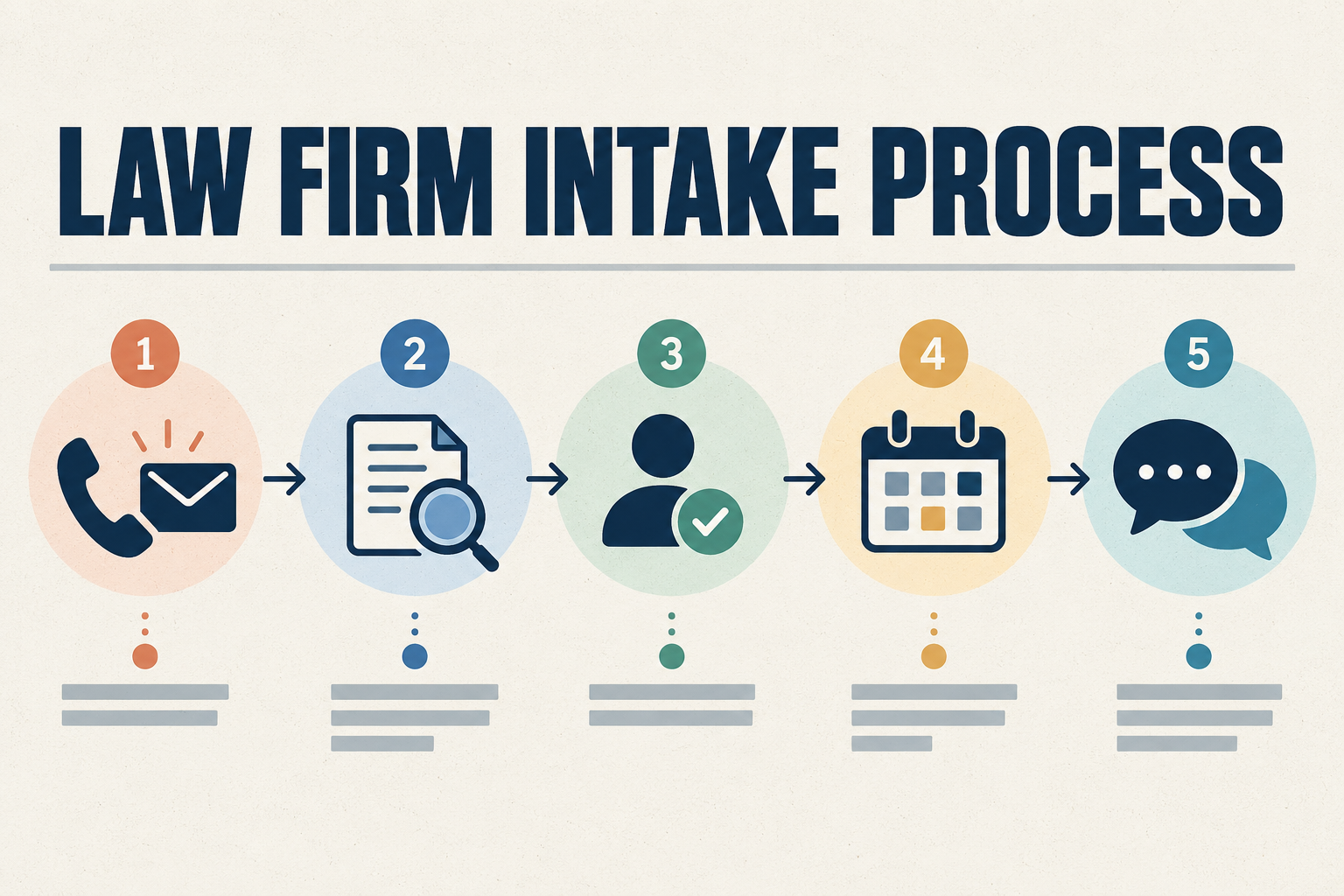
This guide includes a practical field blueprint, a six-question field-decision test, copy-ready sample wording, practice-area add-ons, a field-planning worksheet, and a 25-point pass-fail test. For the broader visitor journey, see the Law Firm Website Conversion Guide. For the complete intake workflow, see the Law Firm Intake Process Checklist.
Key Takeaways:
• Define the operational purpose before selecting fields.
• Collect information in stages when appropriate.
• Do not treat a general form as a legal evaluation, conflict clearance, or client-onboarding form.
• Every submission needs a destination, responsible owner, backup, and approved next step.
• Test the complete submission journey on mobile, desktop, keyboard navigation, internal notifications, and connected systems.
• Automation may support routing, but it should not make legal conclusions.
What a Law Firm Intake Form Is Supposed to Do
An initial website form may help the firm identify the person, obtain reliable contact information, understand the general type of matter, identify a possible jurisdiction or service area, record preferred communication methods, identify language or accessibility needs, route the inquiry internally, determine the next administrative step, prepare for a conflict-screening handoff, and offer scheduling when appropriate.
The initial form generally should not attempt to reach a legal conclusion, predict case value, determine liability, guarantee eligibility, confirm representation, replace an attorney's evaluation, collect a complete case file, request every potentially relevant document, or treat every inquiry as a qualified matter. A general website form is a routing and preparation tool, not a case evaluation.
Contact Form, Intake Form, and Client Onboarding Form
Firms sometimes use one form for every stage, but the purposes differ. A general contact form captures basic reachability. A consultation request form signals interest in scheduling. A preliminary intake form collects enough detail to route and prepare. A conflict-screening form gathers the names and details the firm needs for its approved conflict process. A detailed matter questionnaire collects case-specific information after the firm has a reason to request it. A client-onboarding form formalizes information after the firm accepts the matter.
These are practical operational distinctions. They are not official definitions that apply identically in every jurisdiction or firm. The table below summarizes common form types and their purposes.
| Form type | Primary purpose | Typical timing | Appropriate information level | Important limitation |
|---|---|---|---|---|
| General contact form | Capture basic reachability and message | First website contact | Name, contact method, short message | Not a legal evaluation or conflict check |
| Consultation request form | Signal interest in scheduling a consultation | Early in the inquiry | Contact details, matter category, availability | Does not confirm representation |
| Preliminary intake form | Collect enough detail to route and prepare | After initial contact | Matter category, location, language, conflict names if needed | Not a complete case file |
| Conflict-screening form | Support the firm's approved conflict process | Before scheduling or acceptance | Party names and related details per firm process | Does not replace attorney judgment |
| Detailed matter questionnaire | Collect case-specific information when needed | After a reason to request it | Practice-area-specific details | Should use approved secure collection |
| Client-onboarding form | Formalize information after acceptance | After engagement | Full onboarding data per firm procedures | Occurs after the firm accepts the matter |
Smartzilla's Initial Intake Form Blueprint
This is an original Smartzilla practical resource. It is not a universal legal form, State Bar form, privacy standard, security standard, accessibility standard, or substitute for review by the firm's responsible attorney and appropriate advisors. No suggested treatment below is mandatory for every firm. The right fields depend on the firm's approved process, staffing, and jurisdiction.
| Field | Example label | Suggested treatment | Operational purpose | Main caution |
|---|---|---|---|---|
| 1. Full name | What is your full name? | Usually required | Identify and contact the person | Explain whether additional names will be requested later |
| 2. Phone number | What is the best phone number to reach you? | Required only if phone follow-up is part of the approved process | Return the inquiry | Do not assume an incoming inquiry creates permission for every type of automated call or text |
| 3. Email address | What is the best email address to reach you? | Required or optional depending on the firm's follow-up process | Acknowledgment and follow-up | Review communication consent and avoid sensitive details in routine notifications |
| 4. Preferred contact method | How would you prefer that we contact you? | Optional or required when operationally useful (phone, email, text, another accessible method) | Route communication appropriately | A preference is not automatically sufficient consent for every communication method |
| 5. General matter category | What type of legal matter are you contacting us about? | Usually required | Administrative routing | Do not present categories as legal conclusions or eligibility decisions |
| 6. General location | In what city, county, and state did the matter occur or need attention? | Required when geography affects routing | Identify possible jurisdiction or service-area relevance | Do not use the answer alone to make a legal jurisdiction determination |
| 7. Short matter description | Please briefly describe the general type of matter | Optional or required with a strict warning | Provide limited routing context | Ask the person not to submit sensitive details, documents, identification numbers, or extensive facts |
| 8. Important upcoming dates | Is there a hearing, appointment, or other known date approaching? | Conditional | Flag the inquiry for prompt human review | Do not calculate deadlines, provide deadline advice, or promise a response before the date |
| 9. Other involved names | Are there other people or organizations involved whose names the firm has asked you to provide? | Conditional and based on the firm's approved process | Support a conflict-screening handoff | This field does not complete or clear a conflict check |
| 10. Preferred language | What language would you prefer for communication? | Optional | Route language assistance | Do not promise language availability unless the firm can provide it |
| 11. Accessibility or communication accommodation | Do you need a communication accommodation to complete the next step? | Optional | Arrange an accessible next step | Provide an alternative way to request assistance |
| 12. General availability | When are you generally available to be contacted? | Optional | Help staff plan follow-up | Do not imply that selecting a time creates a confirmed appointment |
| 13. Referral source | How did you hear about the firm? | Optional | Source attribution | Do not make the field required unless it has a justified operational purpose |
| 14. Communication acknowledgment or consent | Use firm-approved language appropriate to the communication method | Conditional | Document applicable communication choices | Language and implementation should be reviewed under applicable requirements |
The Six-Question Field Decision Test
Before adding any field, answer these six questions. This is an original Smartzilla practical decision test, not an official legal or technical standard.
- What specific operational decision will this answer support?
- Who will review or use the answer?
- Does the firm need this information now, or can it be collected later?
- Could the field cause the person to submit sensitive or unnecessary information?
- Where will the answer be stored, who can access it, and when will it be deleted?
- What happens if the person leaves it blank or enters an unexpected answer?
If the firm cannot identify a real use and responsible owner, consider removing the field. A useful field can still be optional or conditional. Collecting more information is not automatically better, and a shorter form is not automatically better. The correct form depends on the approved process behind it.
Decide What Happens After Someone Submits the Form
Before recommending questions, the firm should define where the submission is stored, who receives the notification, who owns the inquiry, who serves as backup, whether acknowledgment is automatic or manual, whether a conflict-screening step occurs before scheduling, whether consultation scheduling is offered immediately, how urgent submissions are handled, how language needs are routed, how duplicate submissions are handled, what happens if an integration fails, how the status is recorded, and when information is deleted or retained according to firm policy.
A well-written form does not solve an undefined intake process. If submissions land in an unmonitored inbox or no one owns follow-up, the form design matters less than the missing operational ownership. For a broader view of how Smartzilla connects website forms to follow-up workflows, visit our How It Works page.
Essential Questions for an Initial Law Firm Intake Form
Practical initial fields may include full name, phone number, email address, preferred contact method, general matter category, general location such as county, state, or jurisdiction, a short non-sensitive description, preferred language, an accessibility or communication accommodation request, general availability, how the person heard about the firm when useful, consent or communication preferences when applicable, and names needed for the firm's approved conflict-screening process when appropriate.
Not every field belongs on every form. Some fields may be required, some optional, some conditional, and some better collected later. Firms should evaluate whether each field has a documented operational use. A field with no clear owner, routing purpose, or downstream use may create friction and risk without adding value.
Copy-Ready Example of a Cautious Initial Intake Form
This is sample operational copy requiring review and customization. It is not legally sufficient in every jurisdiction. Firms should adapt the wording, fields, and disclaimers under the rules applicable to their practice.
Form heading: Tell Us How We May Be Able to Help
Introductory copy: Please provide the basic information below so the firm can review and route your inquiry. Submitting this form does not mean the firm has accepted the matter or agreed to provide representation. Please do not include sensitive information or upload documents unless the firm provides instructions through an approved method.
Fields
- What is your full name?
- What is the best phone number to reach you?
- What is the best email address to reach you?
- How would you prefer that we contact you?
- What type of legal matter are you contacting us about?
- In what city, county, and state did the matter occur or need attention?
- Is there a hearing, appointment, or other known date approaching?
- Please briefly describe the general type of matter.
Helper text below the description field: Do not include Social Security numbers, financial account information, medical records, immigration documents, payment information, photographs, or other sensitive documents. If the firm needs more information, it will provide instructions for an approved next step.
Optional fields
- Preferred language
- Communication accommodation
- General availability
Submit-button example: Send My Inquiry. Firms should avoid vague labels such as a single word with no context when a clearer action label fits the form.
Cautious Post-Submission Message
"Thank you. Your inquiry was submitted for review. Submission does not mean the firm has accepted the matter or agreed to represent you. Please do not send sensitive information unless the firm provides instructions through an approved method. If immediate assistance is required, use the appropriate emergency or legal-help resources for your circumstances.
Do not promise a response time. Do not say that communications are automatically confidential or privileged. Do not say that the disclaimer guarantees that no duties can arise. Do not imply that the matter has qualified.
Questions That Depend on the Practice Area
Supplemental questions may vary by practice area. The examples below are high-level and administrative. They are not legal advice and should be reviewed by the firm under the rules and procedures applicable to it. Each practice area may add two or three cautious administrative questions conditionally.
- Personal injury: general matter type, relevant city, county, state, court, or agency, a known incident or hearing date, whether another attorney currently represents the person, preferred language.
- Immigration: general matter type, relevant location, whether a deadline or appointment is approaching, preferred language, whether immediate communication accommodation is needed.
- Family law: general matter type, relevant jurisdiction, whether a hearing or appointment is approaching, whether another attorney currently represents the person, preferred language.
- Criminal defense: general matter type, relevant jurisdiction, whether a hearing or appointment is approaching, preferred language, whether immediate assistance is needed.
- Estate planning: general matter type, relevant jurisdiction, general relationship to the matter, preferred language, whether another attorney currently represents the person.
- Bankruptcy: general matter type, relevant jurisdiction, general relationship to the matter, preferred language, whether a deadline is approaching.
These questions should not be used to calculate legal deadlines, determine eligibility, predict case value or outcome, automatically reject an inquiry, request extensive facts or sensitive documents, or create a universal intake template for a practice area. Firms should review these questions under their own jurisdiction, practice procedures, staffing, and attorney supervision.
Information That May Be Better Collected Later
Some information may be better collected through an approved later-stage or secure process when genuinely needed. This may include medical records, financial records, tax documents, immigration documents, government identifiers, Social Security numbers, payment information, detailed criminal histories, full case files, photographs containing sensitive information, extensive privileged or confidential communications, information about children, detailed opposing-party information, and signed agreements.
This does not mean these items can never be collected electronically. The appropriate collection method depends on necessity, security controls, access, retention, and the firm's approved procedures. A general website form is rarely the right place for sensitive documents because the firm may not yet have a relationship, a conflict clearance, or appropriate secure storage in place.
Smartzilla's Intake Form Field Worksheet
This is an original Smartzilla practical worksheet, not an official legal, privacy, security, accessibility, or professional-responsibility standard. Copy these column headings into a spreadsheet or document and fill in the rows for each proposed field.
| Proposed field | Required, optional, conditional, or later | Operational purpose | Person responsible | Action triggered | Sensitivity concern | Storage location | Retention or deletion rule | Approved wording | Tested |
|---|---|---|---|---|---|---|---|---|---|
| Full name | Required | Identify and contact the person | Intake owner | Create contact record | Contains personal identification information | CRM contact record | Per firm retention policy | What is your full name? | Yes |
| Phone number | Conditional | Return the inquiry by phone | Intake owner | Notify intake owner | Contains personal contact information | CRM contact record | Per firm retention policy | What is the best phone number to reach you? | Yes |
| Email address | Required | Acknowledge and follow up | Intake owner | Send approved acknowledgment | Contains personal contact information | CRM contact record | Per firm retention policy | What is the best email address to reach you? | Yes |
| General matter category | Required | Route the inquiry | Intake owner | Apply category tag | May reveal the type of legal help sought | CRM inquiry record | Per firm retention policy | What type of legal matter are you contacting us about? | Yes |
| Short matter description | Optional | Provide limited routing context | Intake owner | Flag for human review | May contain sensitive or unexpected information | CRM inquiry record | Per firm retention policy | Please briefly describe the general type of matter | Yes |
| [Your proposed field] | [Your choice] | [Your purpose] | [Your owner] | [Your action] | [Your concern] | [Your storage] | [Your rule] | [Your wording] | [Not yet] |
| [Your proposed field] | [Your choice] | [Your purpose] | [Your owner] | [Your action] | [Your concern] | [Your storage] | [Your rule] | [Your wording] | [Not yet] |
Smartzilla's Intake Form Pass-Fail Test
This is an original Smartzilla practical testing sheet, not an official legal, accessibility, security, or platform standard. Use these result options: Pass, Fail, Needs review, or Not applicable. For each item, record the test date, device and browser, tester, result, evidence, problem observed, responsible owner, correction, and verification date.
- Form loads on desktop
- Form loads on a real mobile device
- Every field has a visible label
- Required fields are clearly identified
- Keyboard navigation follows a logical order
- Error messages explain what needs correction
- Long names are accepted
- Accented characters are preserved
- Phone and email validation handles reasonable formats
- Conditional fields display only when intended
- Sensitive-information warning is visible before submission
- Submit button clearly describes the action
- Confirmation message appears
- Confirmation message does not imply representation
- Internal notification reaches the primary owner
- Backup owner receives the submission when tested
- CRM or intake record contains the correct data
- Source attribution is recorded correctly
- Duplicate submissions are handled according to firm procedure
- Failed integrations create a visible alert or review process
- Scheduling link appears only when permitted
- Staff access matches approved permissions
- A former or unauthorized staff account cannot access submissions
- The complete form can be used with keyboard navigation
- An alternative contact method is available when appropriate
Do not prescribe a universal testing frequency. Test after meaningful changes and at a cadence appropriate to the firm's systems and risks.
Conflict-Screening Information and Internal Procedures
Conflict procedures should be established by the firm. An initial form may collect names required for the firm's process. Intake staff should know when to pause and escalate. Access to conflict information should be limited appropriately. Spelling variations and incomplete names can create matching problems. Software can organize and search information, but software does not replace the professional judgment required by the firm. Requirements and procedures may vary by jurisdiction and matter.
Do not provide a universal conflict-check method, and do not suggest that AI can independently clear a conflict. Conflict screening should follow the firm's own approved procedures, preferably with guidance from qualified ethics counsel.
How to Ask Questions Without Providing Legal Advice
Question wording can use plain language, avoid legal conclusions, avoid suggesting the matter has been accepted, avoid asking the person to prove the case in a small text box, explain why sensitive information should not be submitted, clarify which fields are required, explain what happens next, provide an alternative contact method when appropriate, avoid implying guaranteed confidentiality, security, or representation, and avoid promising a response time the firm cannot consistently meet.
Three short examples follow. These are operational wording samples, not legal advice, and should be reviewed by the firm's responsible attorney for the jurisdiction and circumstances.
Matter-description prompt
"Please briefly describe the general type of legal matter and your location. Do not include sensitive details, documents, or confidential information in this field.
Sensitive-information warning
"Please do not submit Social Security numbers, medical records, financial records, or case documents through this form. If we need additional information, we will provide instructions through an approved method.
Post-submission acknowledgment
"Thank you for contacting us. We have received your inquiry and will review it during normal business hours. Submitting this form does not create an attorney-client relationship and does not guarantee that the firm will represent you. If this is an emergency, please contact appropriate emergency services.
Intake Form Disclaimers and Expectations
Intake-form language may appropriately clarify that submission does not necessarily mean the firm has accepted the matter, that the person should not assume representation has begun, that the firm may need to complete additional review, that the person should avoid sending sensitive information unless instructed through an approved method, that electronic communications can have limitations, that the person should seek immediate assistance through appropriate channels in an emergency, and that communication consent and opt-out terms should be reviewed when email or text follow-up is used.
Avoid saying that a disclaimer always prevents duties from arising. The legal effect of communications may depend on the jurisdiction, circumstances, communications, conduct, and the prospective client's reasonable understanding. The American Bar Association's Model Rule 1.18 discusses duties to prospective clients. ABA Model Rules are models, and adoption or modification varies by jurisdiction.
Privacy, Confidentiality, and Data Minimization
Privacy practices worth reviewing include collecting only information with a defined use, limiting staff access, managing user permissions, securing transmission and storage, reviewing vendor access, defining data retention, planning data deletion, maintaining audit logs, controlling exports and downloads, limiting email notification contents, understanding SMS limitations, securing devices, removing former-employee access, reviewing integration access, preparing incident-response procedures, publishing privacy notices, and following applicable jurisdictional requirements.
Privacy and Security Caution: Do not promise confidentiality, privilege, security, regulatory compliance, State Bar compliance, HIPAA compliance, TCPA compliance, or automatic legal compliance. Firms should have their collection methods, disclosures, storage, communications, and vendor arrangements reviewed by qualified legal, privacy, security, and professional-responsibility advisors when appropriate.
Accessibility and Mobile Usability
Practical accessibility considerations include visible labels, instructions that do not rely only on placeholders, keyboard navigation, logical focus order, clear error messages, sufficient contrast, large enough controls, screen-reader compatibility, descriptive button text, mobile-friendly field sizes, avoiding horizontal scrolling, avoiding unnecessarily long dropdowns, saving progress when appropriate, clear required-field indicators, alternatives for people who cannot use the form, and testing with real devices and assistive technologies when possible.
The W3C Web Accessibility Initiative provides official guidance on accessible forms, including labels, instructions, and error handling. Following a short checklist does not guarantee ADA compliance or full accessibility, but official WAI guidance is a reliable starting point for factual accessibility claims.
Conditional Logic and Multi-Step Forms
Conditional logic and multi-step forms may offer advantages such as showing only relevant questions, breaking a long form into understandable stages, reducing visual overload, routing practice-area questions, and collecting details progressively. They also carry limitations such as hidden logic errors, inaccessible transitions, lost progress, unclear step counts, mobile problems, incorrect routing, integration failures, and difficulty returning to an earlier answer.
Do not assume multi-step forms always outperform single-page forms. Test both the user experience and the resulting internal record. A form that feels smoother can still produce incomplete or misrouted data if the logic is wrong.
Connecting the Form to the Firm's Intake Workflow
The form may connect to an intake inbox, a CRM or intake system, a responsible team member, backup notification, a conflict-screening handoff, a consultation calendar, task creation, an approved acknowledgment, status tracking, source attribution, reporting, and closure or follow-up procedures. The form should not silently create a record nobody monitors. For the complete operational workflow from first contact through consultation attendance, see our Law Firm Intake Process Checklist. For after-hours ownership, missed calls, and response procedures, see our guide on missed calls and after-hours intake.
For guidance on how law firms can build a connected visibility and intake system, review our full service overview. A form that routes correctly into a monitored workflow is more valuable than a polished form that feeds an empty inbox.
Using Automation and AI Carefully
Appropriate automation uses may include confirming receipt using approved language, creating a contact or inquiry record, assigning ownership, creating an internal task, applying a matter-category tag, routing by language or location, detecting missing fields, sending an approved scheduling link when permitted, flagging a submission for human review, and recording the inquiry source.
Automation has limitations. Free-form text can be misunderstood, records can be duplicated, notifications can fail, integrations can disconnect, contact details can be incorrect, AI-generated summaries may omit or distort information, automated messages can imply more than intended, urgent matters can be misclassified, and software should not reach legal conclusions. Automation should support an approved process and appropriate human or attorney review.
Smartzilla's Staged Intake Form Framework
The following table is an original Smartzilla practical framework for organizing form-based intake in stages. It is not an official State Bar process, a legal standard, a universal workflow, a security standard, an accessibility standard, a software requirement, or a guarantee of consultations or retained clients.
| Stage | Purpose | Example information | Responsible role | Primary caution |
|---|---|---|---|---|
| 1. Initial contact | Capture reachability and basic message | Name, contact method, short description | Channel or intake owner | Avoid sensitive details and legal conclusions |
| 2. Preliminary categorization | Route by matter type, location, and language | Matter category, jurisdiction, preferred language | Intake owner | Administrative routing is not legal evaluation |
| 3. Conflict-screening handoff | Support the firm's approved conflict process | Party names per firm process | Intake owner or attorney | Software does not replace attorney judgment |
| 4. Consultation preparation | Prepare for a productive consultation | Availability, accommodation needs, context summary | Intake owner | Do not imply representation has begun |
| 5. Client onboarding | Formalize information after acceptance | Full onboarding data per firm procedures | Attorney or onboarding staff | Occurs only after the firm accepts the matter |
Smartzilla's 20-Point Intake Form Checklist
This is an original Smartzilla practical framework, not an official legal, ethical, privacy, security, accessibility, or platform standard. Use it to identify where an intake form may have gaps.
- 1. Form purpose documented: Confirm whether the form is for contact, consultation request, preliminary intake, or another purpose.
- 2. Next operational step defined: Document what happens immediately after submission.
- 3. Primary owner assigned: Confirm a specific person owns submissions from this form.
- 4. Backup owner assigned: Confirm a backup is available when the primary owner is unavailable.
- 5. Required fields justified: Evaluate whether each required field has a documented operational use.
- 6. Optional fields clearly identified: Mark optional fields so visitors understand what is truly required.
- 7. Sensitive-data requests minimized: Remove unnecessary requests for medical, financial, or privileged information.
- 8. Conflict-screening handoff documented: Confirm the process for routing submissions to conflict screening.
- 9. Question wording reviewed: Ensure prompts avoid legal conclusions and do not imply acceptance.
- 10. Disclaimers reviewed: Verify disclaimers set expectations without making overly broad legal promises.
- 11. Communication consent reviewed: Confirm consent and opt-out language for email or text follow-up.
- 12. Mobile experience tested: Test the form on real mobile devices, not just a resized desktop view.
- 13. Keyboard navigation tested: Confirm the form is usable without a mouse.
- 14. Error messages tested: Verify required-field and invalid-format errors are clear and accessible.
- 15. Conditional logic tested: Confirm branching shows and hides the correct fields.
- 16. Confirmation message reviewed: Verify the post-submission message is accurate and does not imply representation.
- 17. Internal notification tested: Confirm the right people receive and act on submissions.
- 18. CRM or intake record verified: Confirm submissions create a complete, correctly routed record.
- 19. Staff permissions reviewed: Confirm access is limited to those who need it, including former staff.
- 20. Complete submission journey tested: Walk through the full path from form to internal follow-up.
Frequently Asked Questions
What is a law firm intake form?
A law firm intake form is a structured website form used to collect information from a prospective client so the firm can route, acknowledge, and prepare for the inquiry. It is an operational tool, not a legal evaluation or a confirmation of representation. Its purpose is to help the firm determine the next administrative step.
What questions should a law firm intake form ask?
An initial form may ask for full name, phone, email, preferred contact method, general matter category, general location, a short non-sensitive description, preferred language, accessibility needs, and availability. It may also collect names needed for the firm's approved conflict process. The right questions depend on the practice area, jurisdiction, staffing, and approved firm procedures.
How many questions should an intake form contain?
There is no universal ideal field count. The right number depends on what the firm needs to route and prepare the inquiry. Each field should have a documented operational use. Firms should test different lengths against their own baseline rather than following a generic rule that shorter or longer forms always perform better.
Should every field be required?
Not necessarily. Some fields, such as name and a reliable contact method, are typically required. Others, such as how the person heard about the firm, may be optional. Required fields should be justified by a clear operational use, and optional fields should be marked so visitors understand what is truly needed.
Should a law firm ask for case details through its website?
A general website form may collect a short, non-sensitive description to help with routing. It generally should not request extensive case details, documents, or sensitive information. Detailed matter information is usually better collected through an approved secure process after the firm has a reason to request it.
Can a law firm collect documents through an intake form?
It can, but document collection should use an approved secure method and should generally occur after the firm has a reason to request the documents. A general website form is rarely the right place for sensitive files because the firm may not yet have a relationship, a conflict clearance, or appropriate storage in place.
Does submitting an intake form create an attorney-client relationship?
Not automatically. Completing an intake form or contacting a law firm does not, by itself, necessarily establish an attorney-client relationship or mean that the firm has accepted the matter. However, the legal effect of communications can depend on the jurisdiction, the circumstances, the parties' communications and conduct, and the prospective client's reasonable understanding.
A written engagement agreement is commonly used to document the scope and terms of representation, but it should not be described as the only way an attorney-client relationship could arise. A person may also qualify as a prospective client, and the firm may have certain duties regarding information received, even when no attorney-client relationship follows. The American Bar Association's Model Rule 1.18 discusses duties to prospective clients, although each jurisdiction may adopt or modify its own rules.
Law firms should use carefully reviewed intake disclaimers, avoid providing legal advice or suggesting that representation has begun during automated intake, and have their intake language and procedures reviewed under the rules applicable to their jurisdiction. This article provides general operational information, not legal advice.
Should a law firm include a disclaimer?
A carefully reviewed disclaimer may help set expectations by clarifying that submission does not confirm representation, that the firm may need to complete additional review, and that sensitive information should not be sent through the form. A disclaimer should not be treated as a guarantee that no prospective-client duties can ever arise. Disclaimer language should be reviewed under the rules applicable to the firm's jurisdiction.
Can AI review or qualify intake-form submissions?
AI and automation may help route inquiries, detect missing fields, tag matter categories, and flag submissions for human review. Software should not independently determine case merit, liability, eligibility, or likely outcomes. AI should not provide legal conclusions. Administrative routing is not a legal determination, and attorney review may be required before accepting or declining a matter.
Should an intake form connect directly to consultation scheduling?
It depends on the firm's practice area and procedures. Some firms offer a scheduling link after basic qualification. Others require conflict screening or attorney review before scheduling. Do not state that every firm should connect a form directly to attorney-calendar booking. The right approach depends on how the firm evaluates inquiries and what the intake team can support.
What is the difference between an intake form and client onboarding?
An intake form collects information to route and prepare an inquiry before the firm decides whether to accept the matter. Client onboarding generally occurs after the firm has accepted the matter and documented the engagement according to its approved procedures. A written engagement agreement is commonly used to document the scope and terms of representation, but a signed agreement should not be described as the only possible way an attorney-client relationship could arise. Onboarding may include collecting detailed information, setting up the matter in the case-management system, and beginning substantive legal work. Intake comes first, onboarding comes later.
How should a law firm test its intake form?
Test the complete submission journey on desktop and mobile, including keyboard navigation, required-field errors, invalid formats, conditional logic, long names, accented characters, confirmation messages, internal notifications, CRM record creation, source attribution, duplicate handling, and staff permissions. Test after meaningful website, form, CRM, calendar, or automation changes, and on a regular schedule appropriate to the firm.
See What Prospective Clients May Encounter Before They Contact Your Firm
Smartzilla's free Law Firm Presence Check reviews selected public signals involving your website, firm information, trust, and contact pathways. Use it to identify areas that may deserve verification or improvement.
Run Your Free Law Firm Presence Check
One Law Firm Per Practice Area, Per City.
We only partner with one firm per practice area in a given local radius. If we build an AI visibility system for a personal injury attorney in your city, we will not work with your competitors.
Once a market is locked, it's locked.