How Law Firms Should Handle Missed Calls and After-Hours Inquiries
A DIY after-hours testing and correction guide for law firms, with a channel map, copy-ready message templates, three mystery-shopper scenarios, a test record, and a failure and correction log.
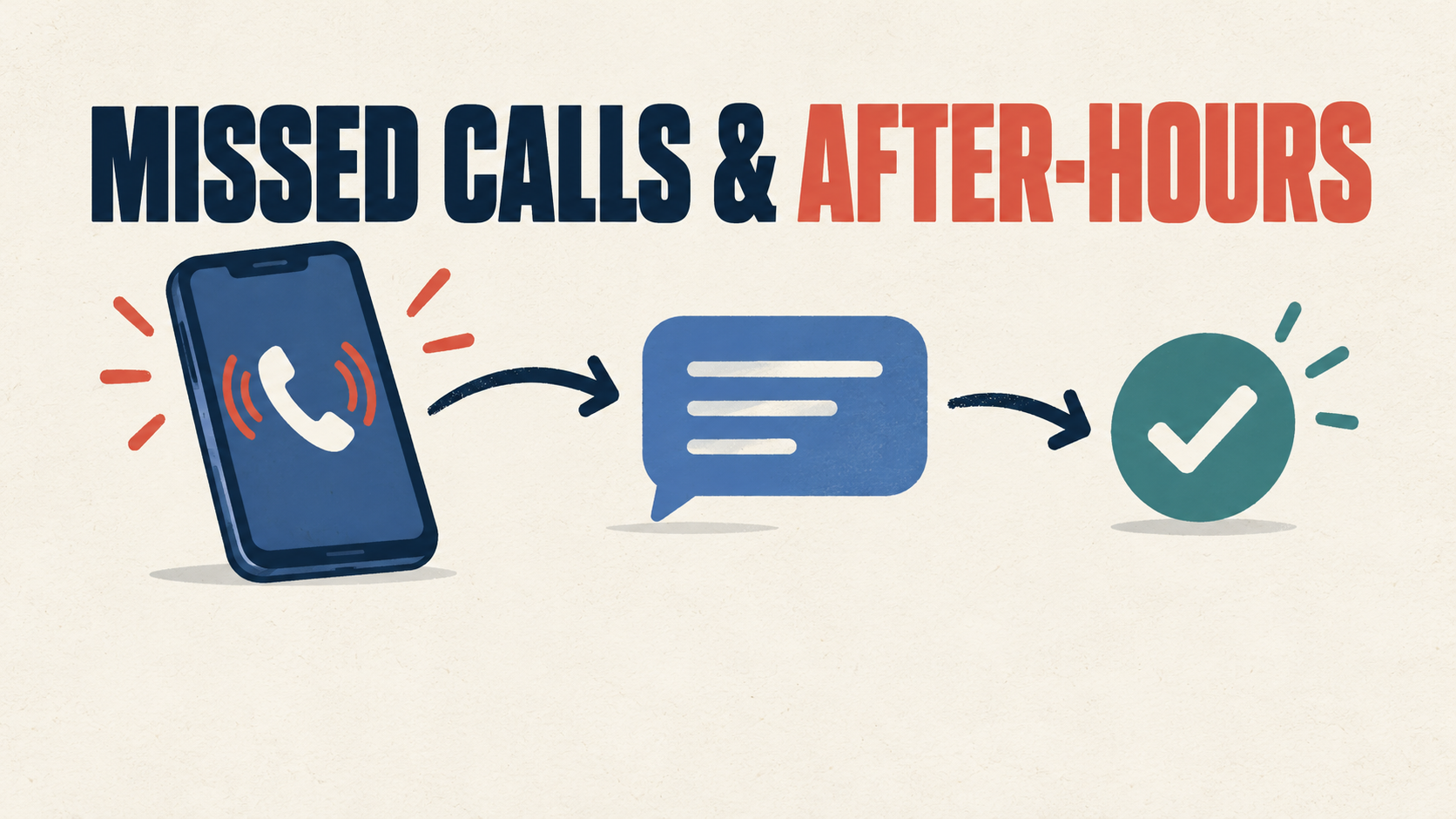
A law firm's after-hours process should do four things: record the inquiry, provide an approved acknowledgment when appropriate, assign a responsible owner and backup, and create a visible next action. The process should also show the team when a call, form, calendar, chat, text, voicemail, or integration fails.
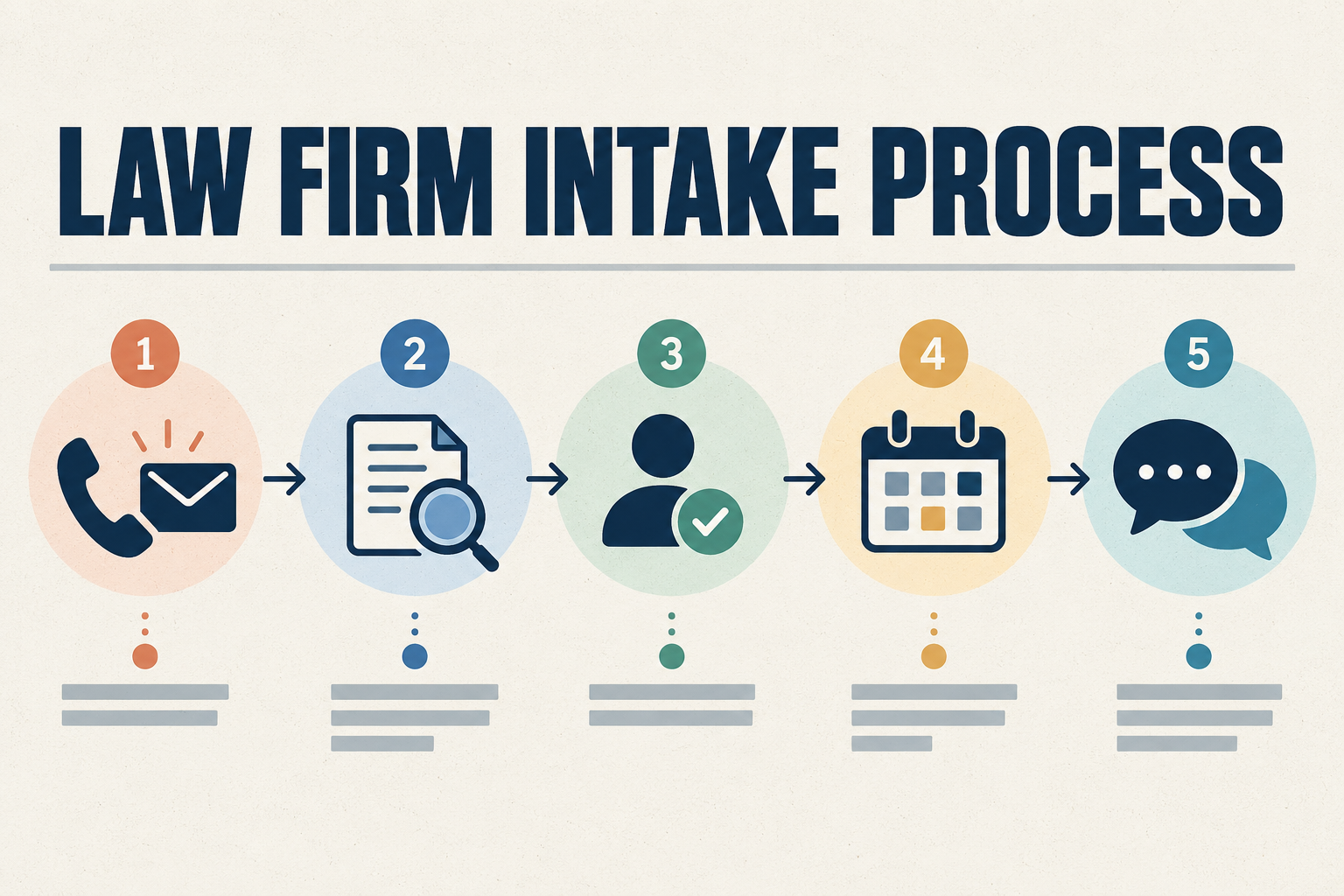
This guide includes an after-hours channel map, copy-ready message examples, three mystery-shopper test scenarios, an internal verification worksheet, a failure and correction log, and a practical retest process. For the complete operational workflow, see our Law Firm Intake Process Checklist. For what a website intake form should ask, see our article on law firm intake form questions. For the broader visitor journey, see our Law Firm Website Conversion Guide.
Key Takeaways:
• Every after-hours channel needs a destination, primary owner, backup, and next action.
• An acknowledgment confirms receipt only when the firm's approved process permits it.
• Automated language should not imply acceptance, representation, confidentiality, privilege, or a guaranteed response time.
• Possible urgency should be routed for appropriate human review under firm procedures.
• Testing must verify both the prospective client's experience and the internal record.
• A workflow is not verified until a correction has been retested successfully.
What the Research Shows: The Reality of Law Firm Responsiveness
Operational friction during intake is a documented industry challenge. According to Clio's 2024 Legal Trends Report research, a secret-shopper study contacting 500 law firms by phone and email found significant responsiveness gaps across the legal industry:
- Phone Unreachability: Only 40% of law firms answered the initial phone call. In total, 48% of firms were completely unreachable by phone, even after being given an opportunity to respond to messages.
- Email Responsiveness: Only 33% of law firms responded to email inquiries from prospective clients.
- Client Recommendations: Among shoppers who did connect with a firm, 73% reported they were unlikely to recommend the firm they spoke with due to poor intake and service experiences.
- Information Gaps: In phone conversations, only 41% offered rate information, only 12% could provide an estimate of total costs, and only 36% explained the intake process and next steps.
It is important to clarify what these findings mean: Clio's study reflects specific secret-shopper contacts with 500 tested firms, not a statement that 48% of all legal calls nationwide go unanswered or that 48% of firms lost a client. However, the data highlights a clear operational problem: when a prospective client reaches out and gets no response, they move on. A reliable after-hours follow-up process bridges this gap.
Why Missed Calls and After-Hours Inquiries Need a Defined Process
When a call goes unanswered or an inquiry arrives outside business hours, the firm has an operational event that needs a defined next step. Without a process, the outcome depends on whoever happens to check the voicemail, inbox, or chat tool next. A defined process does not guarantee that every inquiry becomes a client, but it helps ensure each inquiry reaches a responsible person, receives an appropriate acknowledgment, and is handled according to the firm's approved procedures. The goal is to make the after-hours experience predictable for the caller and manageable for the firm.
Identify Every After-Hours Entry Point
After-hours inquiries arrive through multiple channels. Common entry points include the main business phone, direct staff numbers, voicemail, the website contact form, a preliminary intake form, website chat, text messaging, email, the consultation calendar, a Google Business Profile listing, legal directories, and social media. Documenting where each channel leads, who monitors it, and what happens if an integration fails is the foundation of a reliable after-hours process.
Smartzilla's After-Hours Channel Map
This is an original Smartzilla practical worksheet. It is not an official legal, ethical, communications, privacy, security, or State Bar standard. Copy these column headings into a spreadsheet or document and fill in the rows for each channel your firm actually uses. "Public destination" means what the prospective client sees or reaches; "internal destination" means where the inquiry is actually recorded or delivered. Not every firm needs every channel listed below.
| Entry channel | Public destination | Internal destination | Primary owner | Backup owner | Acknowledgment | Escalation path | Failure signal | Last tested |
|---|---|---|---|---|---|---|---|---|
| Main business phone | [Firm main number] | [Phone system / CRM] | [Owner] | [Backup] | [Voicemail / text / none] | [Path] | [No record created] | [Date] |
| Direct staff number | [Staff direct line] | [Staff voicemail / CRM] | [Owner] | [Backup] | [Voicemail / none] | [Path] | [No notification] | [Date] |
| Voicemail | [Voicemail box] | [Transcription / inbox] | [Owner] | [Backup] | [None] | [Path] | [Audio not retrievable] | [Date] |
| Website contact form | [Contact page URL] | [CRM / inbox] | [Owner] | [Backup] | [Confirmation email] | [Path] | [No CRM record] | [Date] |
| Preliminary intake form | [Intake page URL] | [CRM / intake system] | [Owner] | [Backup] | [Confirmation] | [Path] | [Routing error] | [Date] |
| Website chat | [Chat widget] | [Chat inbox / CRM] | [Owner] | [Backup] | [Auto message] | [Path] | [No response path] | [Date] |
| Text messaging | [Firm text number] | [SMS / CRM] | [Owner] | [Backup] | [Auto reply] | [Path] | [No opt-in record] | [Date] |
| General email inbox | [Firm email address] | [Shared inbox / CRM] | [Owner] | [Backup] | [Auto reply] | [Path] | [Unmonitored inbox] | [Date] |
| Consultation calendar | [Booking page URL] | [Calendar / CRM] | [Owner] | [Backup] | [Confirmation] | [Path] | [Booking before review] | [Date] |
| Google Business Profile | [Profile URL] | [Messages / CRM] | [Owner] | [Backup] | [None] | [Path] | [Outdated hours] | [Date] |
| Legal-directory profile | [Directory URL] | [Lead email / CRM] | [Owner] | [Backup] | [None] | [Path] | [Wrong phone listed] | [Date] |
| Social-media message | [Profile URL] | [DM inbox / CRM] | [Owner] | [Backup] | [Auto reply] | [Path] | [Unmonitored DMs] | [Date] |
| Referral-partner inquiry | [Partner contact] | [Email / CRM] | [Owner] | [Backup] | [None] | [Path] | [No handoff process] | [Date] |
What Happens When Someone Calls at 8:37 P.M.?
The following is a hypothetical operational example illustrating a structured after-hours sequence. It is not a client result or universal legal standard:
- 8:37 P.M. - Incoming Call: A prospective client calls the main firm line after office hours.
- Unanswered Call Logged: The phone system logs the missed call details (timestamp, caller ID, voicemail audio or transcript) into the central system.
- Acknowledgment Sent: When permitted by the firm's policy and consent rules, a brief SMS or email acknowledgment is dispatched confirming receipt and setting expectations.
- Intake Record and Task Created: An intake record is created in the CRM, generating an assigned follow-up task.
- Primary Owner Notified: The designated intake team member receives a notification with call details.
- Backup Escalation Alert: If the primary owner does not acknowledge or handle the task within the firm's internal target, a backup team member receives an escalation alert.
- Human Urgency Review: If the caller indicated urgent circumstances, the message is flagged for immediate human review following firm-approved emergency procedures.
- Conflict Screening and Consultation: The assigned staff member follows the firm's review and conflict-screening procedures before offering a consultation appointment.
- Outcome Recorded: The final disposition (consultation scheduled, declined, referred, or duplicate) is logged in the CRM.
Note on after-hours alerts: Automated alerts only work if a staff member is assigned and available to act. A firm without 24/7 or evening coverage should communicate an honest next-business-day expectation rather than sending urgent alerts to unmonitored devices. An automated acknowledgment is different from a human response.
After-Hours Implementation Matrix
The table below outlines standard operational triggers, automated system actions, and assigned staff responsibilities for managing after-hours inquiries:
| Trigger Event | Automated System Action | Staff Responsibility |
|---|---|---|
| Missed Call / Voicemail | Log caller ID, audio, and transcript; create CRM task; send approved SMS receipt if permitted. | Primary intake staff reviews transcript during next shift, follows the firm's approved conflict-screening handoff when applicable, and calls back. |
| Website Form Submission | Send immediate confirmation email with non-representation disclaimer; route details to CRM. | Assigned team member reviews submission, verifies contact info, and initiates initial outreach. |
| Inquiry Unhandled Beyond the Firm's Internal Target | Trigger an escalation notification according to the firm's approved internal process. | The backup owner verifies responsibility, reviews the record, documents the next action, and records the reason for the delay when appropriate. |
| Consultation Request Submitted | Send pending request confirmation; place tentative calendar hold if configured. | Intake staff completes the approved preliminary administrative review or routes the inquiry for appropriate attorney review before the appointment is confirmed. |
| Booked Consultation Confirmed | Send calendar invite with address or link, reminder sequence, and pre-consultation instructions. | Attorney or paralegal reviews preliminary case notes prior to scheduled consultation time. |
Measuring and Improving Intake Performance
To understand whether your after-hours process is effective, track key operational metrics over time. Distinguish clearly between automated acknowledgments, human contact attempts, and two-way conversations:
- Total Volume: Track total missed calls, voicemails, and after-hours form submissions per week.
- Speed to Human Response: Measure the time elapsed between an inquiry arriving during staffed hours and the first human outreach attempt.
- Contact Rate: Calculate the percentage of after-hours leads successfully reached for a two-way conversation.
- Pending Queue: Monitor the number of inquiries currently awaiting initial review or follow-up.
- Consultations Scheduled: Track how many after-hours inquiries successfully progress to a scheduled consultation.
Establishing a baseline before making operational changes allows you to evaluate real progress. Avoid attributing every increase in signed clients solely to automation. Process consistency and human follow-up remain important parts of the intake experience. Do not promise more signed cases or attribute every improvement to automation.
Sample After-Hours Messages to Review and Customize
These operational templates are starting points for firm review. Customize them for your jurisdiction, practice areas, and procedures. Communication method, consent, opt-out language, timing, and required disclosures should be reviewed for the firm's jurisdiction and approved process. These samples are not universally compliant.
Prospect-Facing Messages
Sample after-hours voicemail
"Thank you for calling [Firm Name]. Our office is currently closed. Please leave your name, phone number, and a brief description of the general reason for your call. Do not leave Social Security numbers, financial information, medical records, or other sensitive details. Leaving a message does not mean the firm has accepted the matter or agreed to provide representation. If you require immediate emergency assistance, contact the appropriate emergency service.
Sample missed-call acknowledgment
"Thank you for contacting [Firm Name]. Your inquiry was received for review. Please do not send sensitive information by text. This message does not mean the firm has accepted the matter or agreed to provide representation.
Sample website-form confirmation
"Your inquiry was submitted for review. Submission does not mean the firm has accepted the matter or agreed to represent you. Please do not send additional sensitive information or documents unless the firm provides instructions through an approved method.
Sample next-business-day follow-up
"Hello [Name], this is [Staff Name] from [Firm Name]. We are following up regarding the inquiry you submitted. Before discussing additional details, we need to confirm some basic information and follow the firm's review procedures. This message does not mean the firm has accepted the matter or agreed to provide representation.
Internal Staff Notifications
Sample internal owner notification
"New after-hours inquiry received through [Channel]. Review the original message, confirm the contact information, record the next action, and update the inquiry status according to the firm's approved process.
Sample backup-owner escalation
"An after-hours inquiry assigned to [Primary Owner] still requires review under the firm's internal process. Please verify ownership, review the original inquiry, and record the next action.
Internal notifications do not need to repeat the same prospect-facing disclaimer language when it is unnecessary for staff. Do not state that the backup should reach a legal conclusion.
Practical Operational Boundaries and Ethics Considerations
Intake automation must operate within firm-approved ethical and operational guardrails. Keep these core boundaries in mind:
- No Legal Advice or Merit Assessment: Automated tools should not make legal conclusions, determine case merit, or guarantee outcomes. Intake-staff responsibilities should follow the firm's approved procedures, attorney supervision, and applicable requirements.
- Firm-Approved Conflict Procedures: Automated scheduling should not bypass the firm's applicable review and conflict procedures. Preliminary details should be handled according to the firm's approved process before sensitive information is collected or consultations are finalized. See ABA Model Rule 1.18 regarding duties to prospective clients. ABA Model Rules are models, and adoption or modification varies by jurisdiction.
- Consent and Messaging Rules: Ensure proper consent before sending automated text messages or emails. An incoming call or form submission does not constitute blanket consent for ongoing promotional marketing.
- Privacy and Security: Limit initial data collection to essential contact and matter category information. Review the security controls, permissions, vendor access, storage, retention, and notification contents used by voicemail, chat, and CRM systems.
Smartzilla's After-Hours Mystery-Shopper Test
This test should be performed only on the firm's own channels or with authorization. It should not be used to submit false inquiries to competing firms. This is an original Smartzilla practical self-audit, not an official legal, ethics, security, privacy, accessibility, communications, or State Bar standard.
Scenario 1: Missed Call Without Voicemail
- Call the main public number after normal business hours.
- Do not leave a voicemail.
- Record what the caller hears.
- Check whether the call appears in the phone system.
- Check whether an acknowledgment is sent when permitted.
- Check whether an intake record or internal task is created.
- Identify the primary owner and backup.
- Verify whether the unresolved event is visible the next business day.
Scenario 2: Missed Call With a Basic Voicemail
Use a clearly fictional test identity associated with the firm's authorized test process. Leave only a test name, a test callback number, and a general statement that the call is a system test. Do not leave real case facts, sensitive information, or an invented emergency.
- Verify voicemail audio is available.
- Verify transcription, if used, is accurate enough for administrative routing.
- Verify the correct owner receives the notification.
- Verify a record is created.
- Verify the acknowledgment language is accurate.
- Verify the final status can be recorded.
- Verify no automated system makes a legal conclusion.
Scenario 3: After-Hours Website Inquiry
Submit the firm's own website form using authorized test information. Do not include real legal facts or sensitive information.
- Verify form submission succeeds.
- Verify a confirmation page appears.
- Verify the confirmation email or text is accurate.
- Verify the CRM or intake record is created.
- Verify source attribution is correct.
- Verify conditional routing works.
- Verify the assigned owner is correct.
- Verify the backup process works.
- Verify scheduling does not bypass a required review.
- Verify the test record can be clearly marked and removed or retained according to the firm's test-data procedure.
Do not use real prospective-client information for testing.
Test What Happens When Something Breaks
A firm may perform these cautious tests in an approved test environment or under controlled conditions. Do not disable production systems recklessly. Controlled failure testing should be planned so real inquiries are not lost.
- Primary owner unavailable
- Backup owner unavailable
- Incorrect phone number
- Invalid email address
- Duplicate inquiry
- CRM connection disabled in a test environment
- Calendar connection unavailable
- Notification email filtered as spam
- Long voicemail
- Accented characters
- Preferred-language selection
- Inquiry submitted immediately before business hours resume
Smartzilla's After-Hours Test Record
This is an original Smartzilla practical worksheet, not an official legal, accessibility, security, or platform standard. Use these result options: Pass, Fail, Needs review, or Not applicable. Copy these column headings into a spreadsheet or document.
| Test date | Scenario | Channel | Test identity | What the person experienced | Acknowledgment received | Internal record created | Primary owner notified | Backup verified | Next action created | Failure observed | Evidence location | Result | Retest date | Verified by |
|---|---|---|---|---|---|---|---|---|---|---|---|---|---|---|
| 2026-10-15 | Missed call without voicemail | Main phone | Fictional test caller | Rang 6 times, generic voicemail | No | No | No | No | No | No record of missed call | [Screenshot path] | Fail | [Retest date] | [Tester] |
| [Date] | [Scenario] | [Channel] | [Identity] | [Experience] | [Yes/No] | [Yes/No] | [Yes/No] | [Yes/No] | [Yes/No] | [Failure] | [Evidence] | [Result] | [Retest date] | [Tester] |
| [Date] | [Scenario] | [Channel] | [Identity] | [Experience] | [Yes/No] | [Yes/No] | [Yes/No] | [Yes/No] | [Yes/No] | [Failure] | [Evidence] | [Result] | [Retest date] | [Tester] |
Do not create a numerical after-hours score. There is no supported universal scoring formula.
Smartzilla's Failure and Correction Log
This is an original Smartzilla practical worksheet. The examples below are fictional operational examples used only to demonstrate the log format. They are not actual Smartzilla client incidents.
| Failure | Channel or integration | Prospective-client impact | Internal impact | Temporary safeguard | Responsible owner | Planned correction | Date corrected | Retest result | Verification date |
|---|---|---|---|---|---|---|---|---|---|
| Form confirmation appeared, but no CRM record was created | Website contact form | No follow-up possible | Inquiry lost | Manual inbox check | [Owner] | Reconnect form to CRM | [Date] | [Result] | [Date] |
| Missed-call text sent, but no owner was assigned | Phone system | Caller expects a callback | No one owns the task | Daily missed-call review | [Owner] | Add assignment rule | [Date] | [Result] | [Date] |
| Calendar allowed scheduling before the firm's required review | Consultation calendar | Appointment booked without screening | Review bypassed | Manual cancellation | [Owner] | Add review gate | [Date] | [Result] | [Date] |
| Backup notification went to a former employee | Escalation workflow | No visible impact | Backup unaware | Reassign backup | [Owner] | Update staff list | [Date] | [Result] | [Date] |
| Website displayed outdated business hours | Google Business Profile | Caller expects coverage | After-hours confusion | Update hours manually | [Owner] | Set review schedule | [Date] | [Result] | [Date] |
When the After-Hours Process Passes
The process passes a specific test only when:
- The prospective client reaches the intended experience.
- The inquiry is recorded in the intended system.
- The correct owner is notified.
- A backup path is available when required.
- The next action is visible.
- The acknowledgment uses approved language.
- Required review or escalation is not bypassed.
- The final outcome can be recorded.
- Any observed failure has been corrected and successfully retested.
A single successful test does not prove the system will never fail. Distinguish among:
- Tested: Someone ran the scenario.
- Corrected: Someone changed the system or process.
- Verified: The scenario was rerun successfully after correction.
When to Build It Yourself and When to Get Help
A firm may be able to manage the after-hours process internally when inquiry volume is manageable, ownership and backup responsibility are clear, its phone, form, email, and calendar systems are relatively simple, someone can test the complete workflow, someone is responsible for monitoring failures, and the firm can maintain scripts, permissions, integrations, and staff procedures.
Outside implementation help may be useful when calls, forms, chat, email, and calendars feed different systems; when nobody can clearly explain where every inquiry goes; when the firm cannot see unresolved inquiries in one place; when notifications or integrations fail without a visible warning; when follow-up depends on checking several inboxes manually; when scheduling can bypass a required review; when former staff still have access; or when the firm does not have time to test and maintain the workflow. Not every firm needs outside help, automation, or intake software.
How Smartzilla Helps Law Firms Connect the Pieces
Smartzilla's Law Firm Website & Intake System can help connect the law firm website, website inquiry forms, intake records, missed-call text-back when appropriately configured, approved email or text acknowledgments, internal notifications, primary and backup ownership, consultation-request workflows, follow-up reminders, and status tracking.
Smartzilla provides technology and marketing systems, not legal advice. The firm remains responsible for scripts, intake procedures, legal review, conflict procedures, consent practices, staff responsibilities, and client communications. Automation supports the firm's process and does not make legal decisions. Calling, SMS, email, or AI usage charges may be billed separately where applicable. The system does not guarantee consultations, retained clients, response times, or case outcomes.
Handling Urgent Messages After Hours
Keep urgency handling cautious. Software may flag language for human review, but a flag is not a legal conclusion, and a missing flag does not establish that a matter is not urgent. The firm should define its own approved escalation procedures. Emergency language should direct people to appropriate emergency services where applicable. This article does not calculate deadlines or provide legal advice.
Communication Consent After Hours
An incoming call or form submission does not automatically authorize every future call, text, or marketing message. Communication method, consent, and opt-out language should be reviewed for the firm's jurisdiction and approved process. This article does not provide a complete TCPA or state communications-law explanation. For factual communications claims, refer to appropriate official FCC guidance rather than marketing vendors or software companies.
Frequently Asked Questions
What should a law firm do when it misses a call?
A missed call should trigger an automated system record, an approved acknowledgment message when appropriate, and an assigned task for staff follow-up during office hours.
Should a law firm send an automatic text after a missed call?
An automatic text can provide immediate reassurance, provided the firm has verified consent requirements and uses approved non-representation disclaimers. Review the firm's jurisdiction and applicable communications rules before enabling automated texts.
Should prospective clients be allowed to schedule immediately?
It depends on the firm's procedures. Some firms offer a scheduling link after an approved preliminary administrative review. Others require conflict screening or attorney review before scheduling. Do not state that every firm should connect a form directly to attorney-calendar booking. The right approach depends on how the firm evaluates inquiries and what the intake team can support.
Does leaving a voicemail create an attorney-client relationship?
Not automatically. Leaving a voicemail or submitting a web form does not, by itself, necessarily establish an attorney-client relationship or mean that the firm has accepted the matter. However, a person may qualify as a prospective client, and the firm may have certain duties regarding information received, even when no attorney-client relationship follows. The American Bar Association's Model Rule 1.18 discusses duties to prospective clients, although each jurisdiction may adopt or modify its own rules.
How should a law firm test its after-hours intake process?
Run the three mystery-shopper scenarios above on the firm's own channels: a missed call without voicemail, a missed call with a basic voicemail, and an after-hours website inquiry. Verify both the external caller experience and the internal record, including ownership, backup, failure detection, and the next action created. Correct any observed failure and retest until the scenario is verified after correction.
See What Happens Before and After a Prospective Client Contacts Your Firm
Smartzilla's free Law Firm Presence Check reviews selected public signals involving your website, firm information, trust, and contact pathways. Use it to identify areas that may deserve verification or improvement. For a broader view of how law firms connect visibility and intake, review our full service overview, or see how it works.
Run Your Free Law Firm Presence Check
One Law Firm Per Practice Area, Per City.
We only partner with one firm per practice area in a given local radius. If we build an AI visibility system for a personal injury attorney in your city, we will not work with your competitors.
Once a market is locked, it's locked.