Law Firm Intake Process Checklist: From First Contact to Consultation
A practical guide to designing, documenting, testing, and improving your law firm intake process from first contact through consultation scheduling and attendance. Learn how to define intake ownership, handle conflict screening, use automation responsibly, and measure what matters.
Key Takeaways:
Intake begins with the first contact attempt, not with the consultation. Someone should have clear ownership of every inquiry channel. Initial intake and legal evaluation are different activities, and administrative qualification is not a legal determination. Automation may support intake but should not replace appropriate human or attorney review. Firms should measure downstream outcomes, not only inquiry volume. The appropriate process depends on the firm's practice areas, staffing, jurisdictions, technology, and approved procedures. Intake improvements should be tested against the firm's own baseline.
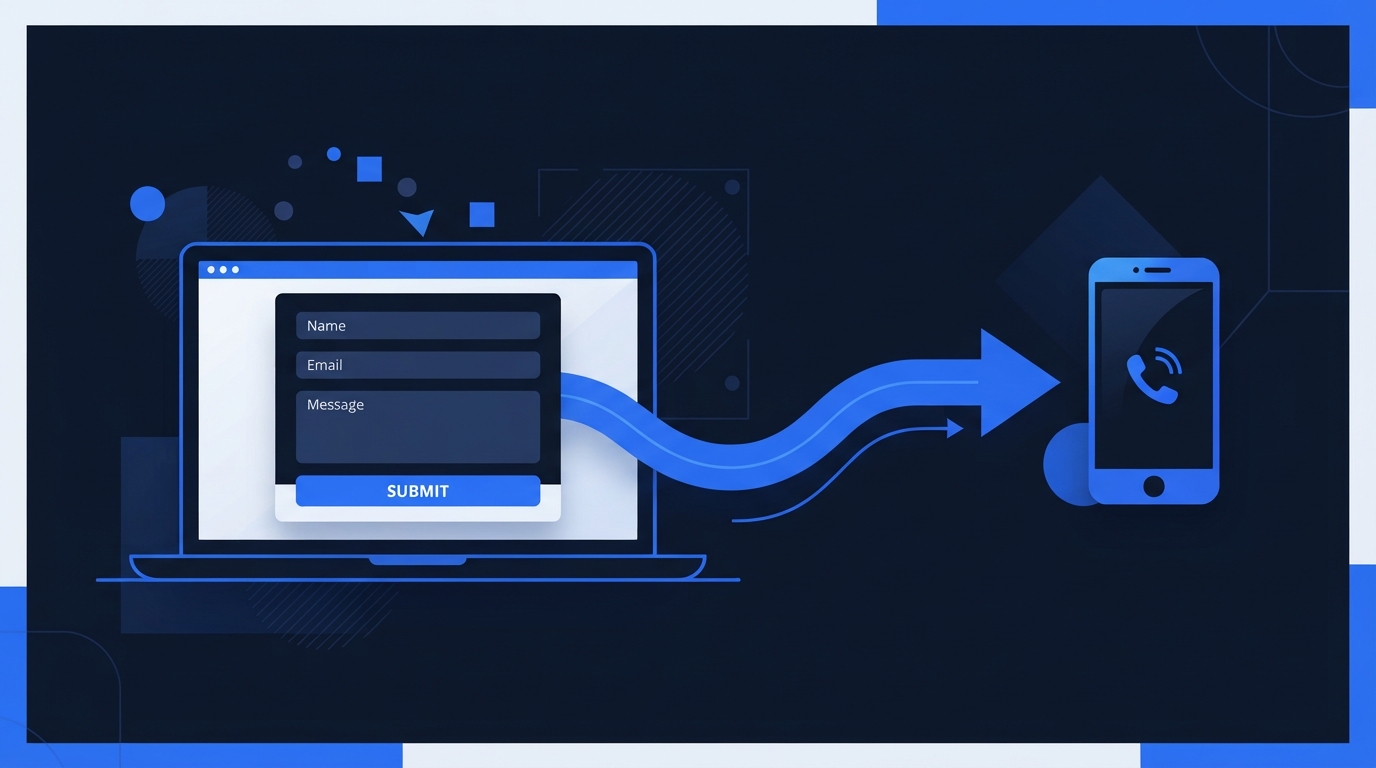
A prospective client may call, submit a website form, send a text message, start a live chat, or email the firm at any time. What happens next determines whether that contact attempt becomes a consultation or disappears into an unmonitored inbox. This guide provides a practical framework for designing, documenting, testing, and improving your law firm intake process from first contact through consultation scheduling and attendance. For a companion guide on how website design affects whether visitors contact you in the first place, see our Law Firm Website Conversion Guide.
A contact form submission, phone call, chat, or text message does not necessarily represent a qualified prospect, an accepted matter, an attorney-client relationship, a scheduled consultation, or a retained client. This guide distinguishes among these stages and explains how to handle each one carefully.
What the Law Firm Intake Process Includes
The intake process includes the major stages a prospective client passes through from the moment they attempt to contact the firm to the point where the firm engages them as a client or closes the inquiry appropriately. These stages may include the contact attempt, inquiry receipt, initial acknowledgment, basic information collection, conflict-screening process, firm-defined qualification, internal routing, consultation scheduling, confirmation and reminders, consultation attendance, engagement or appropriate closure, and reporting and process improvement.
The precise order may vary depending on the firm's practice area, staffing, and procedures. For example, some firms schedule a consultation only after conflict screening is complete, while others may offer a preliminary scheduling step earlier in the process. Do not treat any single sequence as universal.
Map Every Way a Prospective Client Can Contact the Firm
Inquiries may arrive through phone calls, voicemail, website forms, live chat, text messages, email, online scheduling, social media messages, directory profiles, referral partners, walk-ins when applicable, and existing clients referring another person. Every active channel needs a responsible owner, a monitoring schedule, an approved response procedure, a backup owner, a status-tracking method, and periodic testing.
Do not assume every firm should offer every channel. A solo attorney may not be able to support live chat, and a firm without Spanish-speaking staff should not advertise Spanish intake. Only open channels the firm can monitor and respond to consistently. For guidance on how law firms can build a connected visibility and intake system, review our full service overview.
Define Intake Ownership and Coverage
Document the primary intake owner, backup owner, business-hour coverage, after-hours handling, weekend and holiday expectations, attorney escalation rules, language coverage, technical-failure escalation, duplicate-inquiry handling, handoff procedures, and status definitions. Firms should set expectations they can consistently meet rather than promising a response time the staff cannot deliver.
Do not prescribe a universal staffing model or response-time requirement. The right approach depends on the firm's practice areas, team size, jurisdiction, and applicable professional-responsibility rules. For a broader view of how Smartzilla connects visibility to follow-up, visit our How It Works page.
Build a Consistent First-Response Process
An initial response may appropriately confirm receipt, identify the firm, explain the next expected step, provide accurate contact information, set realistic timing expectations, offer a scheduling path when appropriate, provide a way to correct contact details, and include required communication or opt-out language. The response should avoid promises of representation, legal conclusions, or guaranteeing confidentiality unless approved language supports that statement.
A cautious example of an acknowledgment message:
"Thank you for contacting [Firm Name]. We have received your inquiry and will review it promptly. Please do not send sensitive or confidential information through this form. A member of our team will contact you to discuss next steps. Submitting this form does not create an attorney-client relationship and does not guarantee that the firm will represent you.
This example should be reviewed by the firm's responsible attorney for the jurisdiction and circumstances. It should not be treated as universally compliant.
Collect Only the Information Needed at Each Stage
There is a difference between information needed for initial contact, basic matter categorization, conflict screening, consultation preparation, and full client onboarding. Collecting information in stages can reduce friction and avoid requesting sensitive details before the firm has appropriate systems and disclosures in place.
Fields appropriate for initial intake may include name, preferred contact method, phone number, email address, general matter category, general location or jurisdiction, opposing-party names when required by the firm's approved conflict process, preferred language, and availability.
Caution: Do not recommend collecting unnecessary medical records, financial records, government identifiers, detailed privileged communications, full case files, or sensitive personal information through a general website form. Do not state that a general website form is confidential, privileged, or secure unless the firm has verified and approved that statement.
Separate Initial Intake From Legal Evaluation
Intake personnel may collect information and firm-approved criteria may help route inquiries, but administrative qualification is not a legal determination. Software should not independently determine case merit. AI should not provide legal conclusions. Attorney review may be required before accepting or declining a matter. No automated message should imply that representation has begun.
This distinction is important. An intake coordinator can confirm receipt and collect basic information, but only an attorney can evaluate whether the firm should accept the matter. Conflating the two can create ethical risks and set incorrect expectations for the prospective client.
Handle Conflict Screening Carefully
Conflict screening should follow the firm's own approved procedures. Conflict screening may require information about relevant parties. Access to conflict information should be appropriately controlled. Intake staff should know when to pause and escalate. Software may help organize information but does not replace professional judgment. Conflict-screening requirements can vary by jurisdiction and matter.
Do not describe a universal conflict-check procedure or tell firms what legal conclusion to reach. Conflict procedures should be established and reviewed by the firm, preferably with guidance from qualified ethics counsel. The American Bar Association provides Model Rule 1.7 on conflicts of interest and Model Rule 1.18 on duties to prospective clients, though rules and their adoption vary by jurisdiction.
Qualify Inquiries Using Firm-Approved Criteria
Firms may use firm-approved administrative criteria such as practice-area fit, jurisdiction, geographic coverage, matter type, relevant timing considerations, existing representation, consultation availability, language needs, and referral requirements. Do not automatically reject a prospective client based on an AI-generated assessment. Do not suggest that software can determine legal merit, liability, damages, eligibility, or likely outcomes.
Appropriate closure may include clear status documentation, firm-approved communication, referral information when appropriate, applicable disclaimers, and record retention according to firm policy. For guidance on how attorney credentials and biography pages support the evaluation stage, see how to improve attorney bio pages for search and AI visibility.
Create a Clear Consultation-Scheduling Process
Consultation scheduling may involve manual scheduling, online scheduling, attorney availability, intake-team availability, time zones, consultation type, phone, video, or in-person options, location instructions, required preparation, accessibility requests, language assistance, rescheduling, cancellation, duplicate appointments, calendar synchronization, buffer periods, and confirmation messages.
Some firms may allow direct attorney-calendar booking. Others may require qualification or conflict screening before offering a consultation time. Do not state that every law firm should allow direct attorney-calendar booking. The right approach depends on the firm's practice area, staffing, and intake procedures. For guidance on how practice-area pages can prepare visitors for the consultation conversation, see how to build law firm practice area pages for search and AI visibility.
Plan Confirmation, Reminders, and Rescheduling
A careful framework for confirmation and follow-up should cover confirmation messages, appointment reminders, rescheduling options, missed-consultation follow-up, duplicate-message prevention, communication preferences, consent, opt-out handling, escalation to a person, and closing inactive inquiries according to firm procedures.
Do not prescribe a universal number, timing, or frequency of messages. Do not claim that reminders guarantee consultation attendance. The appropriate reminder process depends on the practice area, the consultation type, and the firm's communication preferences. For guidance on managing reviews ethically as part of the follow-up relationship, see whether Google reviews influence law firm visibility in AI search.
Use Automation Without Removing Human Oversight
Appropriate uses of automation may include confirming receipt, creating an internal task, routing notifications, assigning ownership, sending approved scheduling links, delivering approved reminders, updating pipeline stages, detecting missing required fields, flagging an inquiry for human review, and recording communication history.
Automation has limitations. It can fail, messages can be misrouted, duplicate records can be created, contact information can be incorrect, software may misunderstand free-form text, integrations may disconnect, AI-generated text can be inaccurate, urgent inquiries may require human escalation, and legal evaluation should not be delegated to automation. Automation should support a documented process rather than replace one.
Protect Confidential and Sensitive Information
Privacy and Security Caution: Review data minimization, access controls, secure storage, vendor access, user permissions, message retention, audit logs, device security, email and SMS limitations, form security, data exports, staff access when roles change, and incident-response procedures. Do not promise compliance, confidentiality, security, or privilege. Do not claim a software platform is automatically compliant merely because it offers certain features. Firms should review their systems and communications with qualified legal, privacy, security, and professional-responsibility advisors as appropriate.
The Federal Communications Commission provides guidance on telephone and text-message communication rules that may affect how firms send automated reminders and follow-up messages. The American Bar Association also provides Model Rule 7.1 on communications about legal services, though adoption varies by jurisdiction.
Track Inquiry Sources and Intake Outcomes
Firms can separately track total contact attempts, successfully received inquiries, duplicate inquiries, spam, qualified inquiries, disqualified inquiries, referral opportunities, scheduled consultations, rescheduled consultations, canceled consultations, attended consultations, missed consultations, retained matters, closed inquiries, unresolved inquiries, source attribution, and time spent in each operational stage.
These measurements should not be treated as interchangeable. A contact attempt is not a received inquiry. A scheduled consultation is not an attended consultation. A retained matter is not guaranteed by any earlier stage. Avoid universal benchmarks and establish the firm's own baseline before making changes.
Attribution has limitations. A prospect may use multiple devices, a phone call may follow an earlier website visit, offline referrals may go untracked, self-reported sources can be inaccurate, duplicate records can distort counts, call tracking has technical constraints, cookies have limitations, CRM data-entry errors occur, decision cycles can be long, and multiple people may be involved in one inquiry. For a broader framework on trust signals that support the evaluation stage, see 12 digital trust signals law firms should strengthen.
Test the Complete Intake Journey
Testing the intake journey means walking through the entire process from the prospective client's perspective. Submit a test form, call the firm's phone number, send a test chat message, and verify what happens at each stage. Check whether notifications are routed correctly, whether the intake team receives and responds to inquiries, whether confirmation messages are accurate, whether scheduling works, and whether the complete path from first contact to human response functions as intended.
Test after any website update, platform change, or staffing change that affects intake. At minimum, test the complete inquiry path on a regular schedule to confirm that nothing has broken silently.
Common Law Firm Intake Mistakes
- No clear owner for new inquiries, leaving inquiries to sit in a general inbox
- Multiple channels feeding unmonitored inboxes with no routing or alerts
- Forms requesting too much sensitive information before the firm has appropriate systems
- Intake staff making legal conclusions they are not authorized to make
- Automation implying representation or creating an unintended attorney-client relationship
- Scheduling a consultation before required firm procedures such as conflict screening
- Broken calendar integrations that cause double-bookings or missed appointments
- Duplicate reminders that confuse or annoy prospective clients
- Missing opt-out handling for text messages or automated communications
- No backup coverage when the primary intake owner is unavailable
- Inconsistent status definitions that make it impossible to measure the pipeline
- Treating every inquiry as qualified without an intake evaluation
- Measuring inquiry volume without tracking downstream outcomes
- Failing to test forms, calls, chat, and scheduling on a regular schedule
- Retaining unnecessary sensitive information in an unsecured system
- Former staff retaining system access after their role changes or ends
- Assuming software configuration guarantees legal or ethical compliance
- Using AI-generated messages without attorney approval and testing
Smartzilla's Practical Law Firm Intake Workflow
The following table is a practical Smartzilla framework for organizing the intake workflow. It is not an official State Bar process, a legal standard, a universal workflow, a software requirement, or a guarantee of consultations or retained clients. It is an organizational tool to help firms think about what each stage requires and what to measure.
| Intake stage | Primary objective | Responsible role | Useful system support | Measurement signal |
|---|---|---|---|---|
| Contact attempt | Prospective client reaches the firm through an active channel | Channel owner | Working form, phone line, chat, or scheduling tool | Contact attempts by channel |
| Inquiry received | Firm captures the inquiry and creates a record | Intake owner | CRM or intake platform with notifications | Received inquiries, duplicate detection |
| Acknowledgment | Prospective client knows the inquiry was received | Intake owner | Automated confirmation with approved language | Acknowledgment sent rate |
| Basic information collection | Firm gathers what it needs for the next step | Intake owner | Staged form fields, intake questionnaire | Completion rate, missing-field flags |
| Conflict-screening handoff | Firm checks for conflicts before proceeding | Intake owner or attorney | Conflict-check tool or process | Conflicts identified, handoff time |
| Firm-defined qualification | Firm applies approved administrative criteria | Intake owner | Qualification rules, routing logic | Qualified vs. disqualified count |
| Internal routing | Inquiry reaches the right attorney or team | Intake owner | CRM routing, assignment rules | Routing accuracy, assignment time |
| Consultation scheduling | Prospective client selects an available time | Intake owner or prospect | Scheduling tool, calendar sync | Scheduled consultations |
| Confirmation and reminders | Prospective client receives confirmation and reminders | Intake owner or automation | Approved reminder sequence | Reminder delivery, reschedule rate |
| Consultation outcome | Consultation occurs and is documented | Attorney | Consultation notes, outcome tracking | Attended consultations, no-show rate |
| Engagement or closure | Firm engages the client or closes the inquiry appropriately | Attorney | Engagement letter, closure template | Retained matters, closed inquiries |
| Reporting and review | Firm reviews intake performance and improves the process | Managing partner or intake manager | CRM reporting, dashboard | Stage conversion, time in stage |
Smartzilla's 25-Point Law Firm Intake Process Checklist
This is an original Smartzilla practical framework, not an official legal, ethical, security, accessibility, or platform standard. Use it to identify where your intake process may have gaps.
- 1. Active inquiry channels inventoried: Document every channel through which prospective clients can contact the firm.
- 2. Primary intake owner assigned: Confirm a specific person owns new-inquiry handling.
- 3. Backup owner assigned: Confirm a backup is available when the primary owner is unavailable.
- 4. Business-hour coverage documented: Document who monitors inquiries during normal business hours.
- 5. After-hours expectations documented: Confirm after-hours visitors understand when to expect a response.
- 6. First-response language approved: Review acknowledgment messages for accuracy and compliance.
- 7. Form fields reviewed: Evaluate whether each field is necessary and appropriately labeled.
- 8. Sensitive-data requests minimized: Remove unnecessary requests for medical, financial, or privileged information.
- 9. Conflict-screening handoff documented: Confirm the process for routing inquiries to conflict screening.
- 10. Qualification criteria approved: Document the administrative criteria the firm uses to evaluate inquiries.
- 11. Attorney escalation rules documented: Confirm when intake staff should escalate to an attorney.
- 12. Language needs addressed: Confirm intake can support the languages the firm advertises.
- 13. Accessibility needs addressed: Confirm intake forms and scheduling are accessible.
- 14. Consultation eligibility process documented: Confirm what must happen before a consultation is offered.
- 15. Scheduling options tested: Test the scheduling tool from the prospective client's perspective.
- 16. Calendar synchronization tested: Confirm calendars sync correctly and avoid double-bookings.
- 17. Confirmation messages reviewed: Verify that confirmation messages are accurate and compliant.
- 18. Reminder process reviewed: Confirm reminders are sent, received, and include rescheduling options.
- 19. Rescheduling process tested: Test what happens when a prospective client reschedules or cancels.
- 20. Missed-consultation process documented: Confirm what happens when a consultation is missed.
- 21. Consent and opt-out procedures reviewed: Verify that communication consent and opt-out handling work.
- 22. CRM or intake-stage definitions documented: Confirm that pipeline stages are defined consistently.
- 23. Inquiry-source tracking reviewed: Verify that inquiry sources are being captured accurately.
- 24. Downstream outcomes measured: Connect intake data to consultation attendance and retained matters.
- 25. Complete intake journey tested regularly: Walk through the full path on a regular schedule.
Frequently Asked Questions
What is a law firm intake process?
The intake process is the sequence of steps a law firm uses to handle a new inquiry from the first contact attempt through consultation scheduling, attendance, and engagement or appropriate closure. It includes acknowledgment, information collection, conflict screening, qualification, routing, scheduling, confirmation, and follow-up. Intake is not the same as legal evaluation or client onboarding.
What information should a law firm collect from a new inquiry?
Collect only what the firm needs at each stage. Initial contact may require name, preferred contact method, phone number, email, general matter category, general location, and preferred language. Do not request medical records, financial records, government identifiers, detailed privileged communications, or full case files through a general website form. Collect sensitive information through appropriate secure intake procedures after the firm has reviewed the matter.
Should a law firm allow online consultation scheduling?
It depends on the firm's practice area and intake procedures. Some firms allow direct scheduling after basic qualification. Others require conflict screening or attorney review before offering a consultation time. Do not state that every firm should allow direct attorney-calendar booking. The right approach depends on how the firm evaluates inquiries and what the intake team can support.
Can a law firm automate intake follow-up?
Automation may support intake by confirming receipt, routing notifications, assigning ownership, sending approved scheduling links, delivering approved reminders, and updating pipeline stages. However, automation should not replace appropriate human or attorney review. Legal evaluation should not be delegated to automation, and no automated message should imply that representation has begun.
Can AI qualify a legal case?
No. Software should not independently determine case merit, liability, damages, eligibility, or likely outcomes. AI should not provide legal conclusions. Firm-approved criteria may help route inquiries administratively, but administrative qualification is not a legal determination. Attorney review may be required before accepting or declining a matter.
How quickly should a law firm respond to an inquiry?
There is no universal response-time standard. The firm should establish a realistic process based on its staffing, practice areas, urgency, approved procedures, and applicable obligations. Set expectations the firm can consistently meet rather than promising a response time the staff cannot deliver. What matters is that someone owns the inquiry, the prospective client receives an acknowledgment, and the firm follows a documented process.
What should happen after a consultation is scheduled?
The prospective client should receive a confirmation message with the consultation details, expected preparation, and a way to reschedule if needed. The firm should send approved reminders, assign responsibility for the consultation, and document the outcome. If the consultation is missed, the firm should follow its documented missed-consultation process.
How should a law firm measure intake performance?
Measure the full path, not only inquiry volume. Track contact attempts, received inquiries, qualified inquiries, scheduled consultations, attended consultations, and retained matters separately. Establish a baseline before making changes. Understand that attribution has limitations and that a form submission is a signal, not a result. The most meaningful measurement connects intake activity to downstream outcomes.
What is the difference between intake and client onboarding?
Intake is the process of handling a new inquiry from first contact through consultation and engagement or closure. Client onboarding is what happens after the firm decides to accept the matter and the client signs an engagement agreement. Onboarding may include collecting detailed information, setting up the matter in the case-management system, and beginning substantive legal work. Intake comes first.
Does completing an intake form create an attorney-client relationship?
Not automatically. Completing an intake form or contacting a law firm does not, by itself, necessarily establish an attorney-client relationship or mean that the firm has accepted the matter. However, the legal effect of communications can depend on the jurisdiction, the circumstances, the parties' communications and conduct, and the prospective client's reasonable understanding.
A written engagement agreement is commonly used to document the scope and terms of representation, but it should not be described as the only way an attorney-client relationship could arise. A person may also qualify as a prospective client, and the firm may have certain duties regarding information received, even when no attorney-client relationship follows. The American Bar Association's Model Rule 1.18 discusses duties to prospective clients, although each jurisdiction may adopt or modify its own rules.
Law firms should use carefully reviewed intake disclaimers, avoid providing legal advice or suggesting that representation has begun during automated intake, and have their intake language and procedures reviewed under the rules applicable to their jurisdiction. This article provides general operational information, not legal advice.
Build a Clearer Path From Inquiry to Consultation
Smartzilla helps law firms connect website inquiries, follow-up workflows, consultation scheduling, and visibility data into a more organized growth system. See where prospective clients may be encountering friction and which improvements deserve priority.
Request Your Visibility and Intake Audit
One Law Firm Per Practice Area, Per City.
We only partner with one firm per practice area in a given local radius. If we build an AI visibility system for a personal injury attorney in your city, we will not work with your competitors.
Once a market is locked, it's locked.