How to Build a Single Source of Truth for Your Law Firm's Online Profiles
A practical guide to creating one approved internal record for your law firm's offices, attorneys, practice areas, phone numbers, contact pathways, and profile ownership, so your website, directories, and public profiles do not contradict one another.
Key Takeaways:
A source of truth is an approved internal record of the firm's current facts. The website should be compared against the approved record, not automatically treated as correct. Official licensing sources may control professional facts such as admission status. Platform wording can differ without creating a factual conflict. Every material field should have an approver and an operational owner. Tracking numbers and alternate phone numbers should be documented before they are changed. Profile ownership, login access, and recovery information belong in the system. Changes should be propagated in priority order and verified publicly. The source of truth supports a presence audit but does not replace one. Accurate information does not guarantee rankings, recommendations, consultations, or clients.
A law firm online presence audit can reveal that the firm's website, Google Business Profile, State Bar record, legal directory listings, and attorney profiles show different names, offices, phone numbers, or practice areas. Identifying those conflicts is useful, but correcting one source does not prevent the others from drifting again. What the firm needs is one approved internal record of the facts that should appear across its public profiles. This guide shows how to build and maintain that record. If you have not yet reviewed where your public information conflicts, start with our Law Firm Online Presence Audit guide. For a broader introduction to how search and AI platforms understand law firms, see our AI Search Visibility for Law Firms guide.
What a Law Firm Source of Truth Is
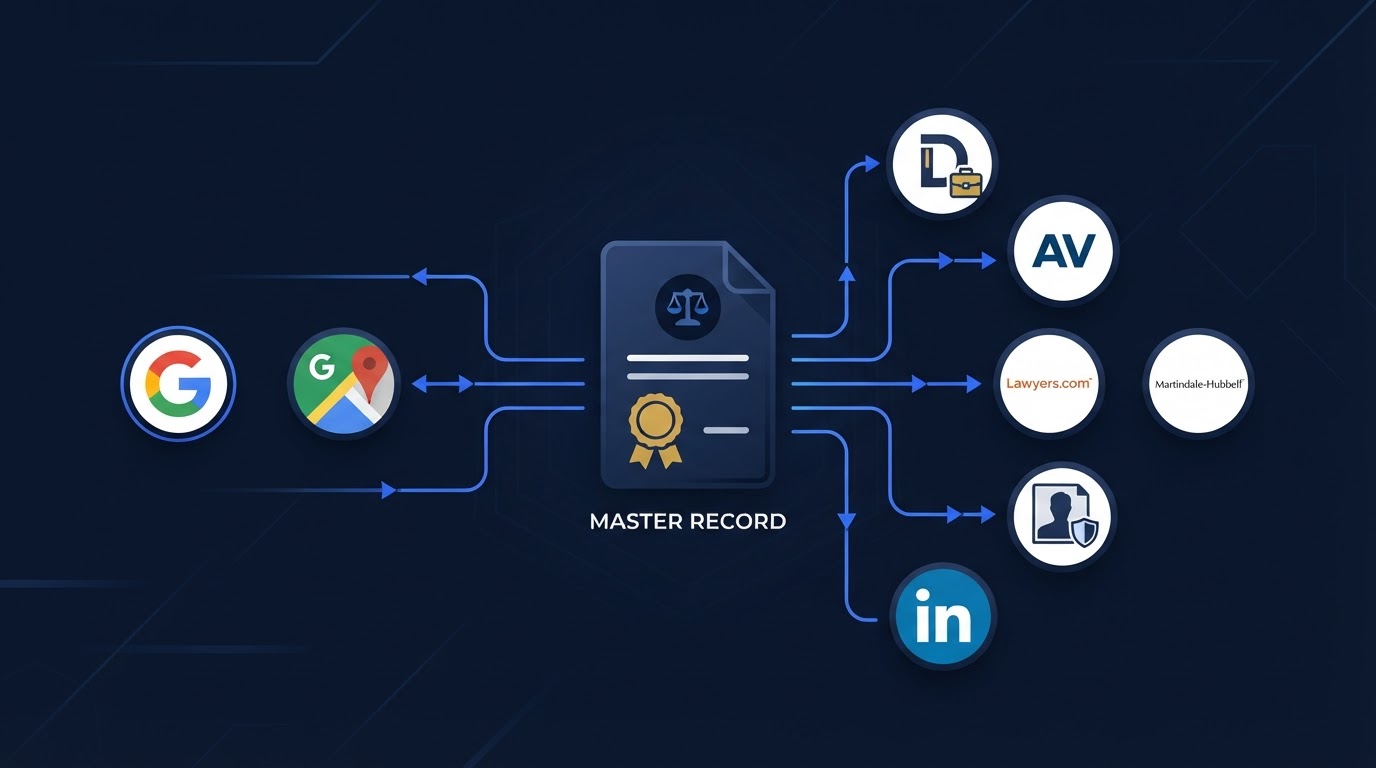
A source of truth is a maintained internal record containing the firm's approved facts. It may be stored in a controlled spreadsheet, a CRM record, an internal database, a password-protected operations document, or another system the firm can maintain reliably. It is not a marketing page, a directory listing, or a public profile. It is the operational record the firm uses to confirm what is true before publishing or correcting anything publicly.
The record should identify the approved fact, who approved it, who maintains it, when it was last verified, which platforms use it, whether platform-specific variations are allowed, what changed, when the change occurred, and whether the public correction has been verified.
Do not store passwords, one-time codes, recovery codes, secret keys, or full security answers directly in a general shared spreadsheet. Use a secure credential-management method approved by the firm.
Why a Website Alone Is Not the Source of Truth
The firm website is a high-priority public source, but it is not automatically correct. It may itself contain a former office, a departed attorney, an outdated tracking number, old hours, a discontinued practice area, a broken consultation link, an unapproved specialization claim, or old biographies and firm descriptions.
Use these distinctions to avoid confusing the record with its public representations:
- Internal approved record: the operational source of truth.
- Official licensing authority: the authoritative source for facts it controls, such as admission status.
- Public website and profiles: published representations that should reflect approved facts.
- Marketing copy: persuasive wording that must remain accurate but need not be identical everywhere.
The website should be compared against current firm records and appropriate official sources, not treated as the authority merely because it is the firm's own page.
Facts, Platform Formatting, and Marketing Copy
A source of truth does not require every platform to display identical wording. Platforms use different field structures, some use abbreviations, category options vary, biography lengths vary, and a tracking number may serve a legitimate purpose. The goal is for the underlying facts to agree, not for every character to match.
Facts That Should Agree vs. Wording That May Differ
| Information type | What should remain accurate | What may vary | Example conflict |
|---|---|---|---|
| Firm name | The approved public firm name | 'and' vs '&', abbreviations | A former name shown as current |
| Office address | The current staffed office or mailing address | 'Suite' vs 'Ste.' | A closed office shown as active |
| Phone number | A number that reaches the firm | A documented tracking number | A number that no longer routes |
| Website | The current primary domain | Platform redirect links | An old domain linked as current |
| Attorney name | The attorney's current professional name | Nickname vs formal name if approved | A departed attorney shown as available |
| Admission or jurisdiction | Current admission status and jurisdictions | Platform category labels | Incorrect admission information |
| Practice areas | Matters the firm currently accepts | Platform category structures | A discontinued practice area still listed |
| Languages | Languages genuinely supported through intake | Display order | Spanish advertised without a Spanish intake path |
| Office hours | Hours the firm can consistently support | Holiday formatting | Hours that no longer match operations |
| Consultation information | A working consultation or contact path | Button wording | A broken consultation link |
| Firm description | An accurate, approved description | Short vs long versions | A claim the firm has not approved |
| Attorney biography | An accurate, attorney-approved biography | Length and image crop | An outdated biography with former credentials |
Smartzilla's Law Firm Information Source-of-Truth Framework
The following is an original Smartzilla practical framework for organizing a firm's approved facts into six records. It is not an official State Bar process, a legal or ethics standard, a cybersecurity standard, a Google ranking framework, an AI recommendation framework, or a guarantee of visibility or clients.
Smartzilla's Law Firm Information Source-of-Truth Framework
| Record | What it contains | Who confirms it | Who maintains it | Main risk |
|---|---|---|---|---|
| 1. Identity record | Firm name, domain, brand, description | Managing partner or authorized firm leader | Authorized administrator or operations lead | A former name presented as current |
| 2. Location record | Offices, mailing addresses, service areas | Firm leadership or authorized administrator | Operations | A closed or ineligible office shown as active |
| 3. Attorney record | Attorney names, Bar status, bios, credentials | The attorney or authorized administrator, using official records | Authorized administrator | Marketing staff inventing or interpreting credentials |
| 4. Service record | Practice areas, languages, geographic coverage | Firm leadership | Marketing or operations after approval | A service the firm does not accept |
| 5. Contact-pathway record | Phone numbers, forms, scheduling, chat, email | Operations or intake leadership | System owner | A broken or unmonitored contact path |
| 6. Ownership and change record | Profile owners, logins, access, change history | Operations or firm leadership | authorized profile administrator | A former employee or agency retaining access |
Firm Identity
Record the approved public firm name, the legal business name when relevant, any DBA or permitted alternate name, former firm names, the primary domain, the approved logo, the approved short description, the approved full description, the organization type when relevant, the date of last verification, the approver, and the operational owner.
Former names may need to remain documented for historical or profile-recovery purposes even when they should no longer be presented as current. Keeping a former name in the record is different from displaying it as active.
Offices, Addresses, and Service Areas
Keep these distinctions separate: a staffed physical office, a mailing address, a shared office, a virtual office, a former office, a service area, a licensed jurisdiction, the area where matters are accepted, and the market the firm wants to reach. These are not interchangeable.
The template should record the relationship type, complete address, main phone, hours, attorneys associated with the location, public-display status, platform eligibility status if verified, date opened or closed, last checked, and the supporting internal record. Do not decide platform eligibility automatically. When eligibility is uncertain, consult current official platform guidance, such as the official Google Business Profile guidelines.
Phone Numbers and Contact Pathways
Document the main public number, department numbers, tracking numbers, toll-free numbers, call forwarding, text-enabled numbers, consultation URLs, contact forms, email addresses, chat, calendar links, after-hours routing, and language-specific routing. For a broader view of how these pathways fit the intake process, see our Law Firm Intake Process Checklist.
Before Changing an Unfamiliar Phone Number
| Check | Question |
|---|---|
| 1 | Where does the number appear? |
| 2 | Who owns it? |
| 3 | Where does it route? |
| 4 | Does it support calls or texts? |
| 5 | Is it connected to advertising? |
| 6 | Is it linked to reviews or a profile? |
| 7 | Have call recording or consent requirements been reviewed? |
| 8 | What replacement is approved? |
| 9 | How will the change be tested? |
An unfamiliar number should be investigated before removal, because it may route to a service the firm still uses.
Attorneys and Professional Credentials
Record each attorney's current professional name, approved public name, State Bar or licensing profile, admission status, jurisdictions, firm affiliation, office relationship, role or title, education, languages, approved certifications, professional memberships, biography, headshot, join or departure date, attorney approval, and last verified date.
The attorney or authorized administrator should confirm credentials. Official licensing authorities should be used for the facts they control. Marketing staff should not independently invent, interpret, or approve legal credentials. The source of truth should record the official profile URL. For how attorney profiles affect discovery, see our article on attorney bios and AI search visibility.
Practice Areas, Languages, and Geographic Coverage
Record current practice areas, matters currently accepted, matters no longer accepted, approved service descriptions, regulated specialization language, languages genuinely supported, whether language support extends through intake, licensed jurisdictions, real offices, service areas, and geographic markets.
The firm should not claim a service it does not currently handle, an office where it does not genuinely operate, a language without a reliable communication path, a specialization without appropriate authorization, or statewide local presence merely because it accepts matters statewide. For how practice-area pages affect visibility, see our article on practice-area pages and AI search visibility.
Hours, Consultation Information, and Client Expectations
Record office hours, phone hours, consultation availability, after-hours limitations, holiday hours, emergency limitations, whether appointments are required, whether scheduling is immediate or requires review, languages available during intake, and the expected next step after contact.
Do not prescribe a universal response time. Public promises should match what the firm can consistently support. For how after-hours handling affects the intake path, see our article on missed calls and after-hours inquiries.
Profile Ownership and Access
Profile ownership is part of the source of truth, because a profile no one can log into cannot be corrected. The following is an original Smartzilla practical register.
Law Firm Profile Ownership Register
| Platform | Profile URL | Primary owner | Backup owner | Controlling email | Multi-user access | Recovery documented | 2FA status | Former access reviewed | Last verified |
|---|---|---|---|---|---|---|---|---|---|
| Google Business Profile | https://... | Firm admin | Operations lead | admin@firm.com | Yes | Yes | Enabled | Yes | 2026-10-08 |
| State Bar profile | https://... | Attorney | Authorized administrator | attorney@firm.com | No | Yes | Enabled | N/A | 2026-10-08 |
Do not place passwords, one-time codes, recovery codes, secret keys, or full security answers in the article's general template. Use a secure credential-management method approved by the firm.
Smartzilla's Master Law Firm Information Template
The following is an original Smartzilla template. Copy it into a spreadsheet and adapt it to your firm's structure.
A. Firm identity
- Approved public firm name (approved value, permitted variation, approver, operational owner, last verified, notes)
- Legal business name (same fields)
- DBA or alternate name (same fields)
- Former firm names (same fields, plus display status)
- Primary domain (same fields)
- Approved logo and description (same fields)
- Organization type (same fields)
B. Locations
- Relationship type (staffed office, mailing, shared, virtual, former, service area)
- Complete address (approved value, permitted variation)
- Main phone
- Hours
- Attorneys associated with the location
- Public-display status
- Platform eligibility status if verified
- Date opened or closed
- Last checked and supporting internal record
C. Attorneys
- Current professional name and approved public name
- State Bar or licensing profile and URL
- Admission status and jurisdictions
- Firm affiliation, office relationship, role or title
- Education, languages, approved certifications, memberships
- Biography, headshot, join or departure date
- Attorney approval and last verified date
D. Practice areas and languages
- Current practice areas and matters accepted
- Matters no longer accepted
- Approved service descriptions and regulated specialization language
- Languages genuinely supported through intake
- Licensed jurisdictions, real offices, service areas, markets
E. Phone numbers and contact pathways
- Main public number, department numbers, tracking numbers
- Toll-free, call forwarding, text-enabled numbers
- Consultation URLs, contact forms, email, chat, calendar links
- After-hours and language-specific routing
F. Hours and consultation information
- Office and phone hours
- Consultation availability and after-hours limitations
- Holiday and emergency limitations
- Whether scheduling is immediate or requires review
- Expected next step after contact
G. Profile ownership
- Platform, profile URL, primary owner, backup owner
- Controlling email, multi-user access, recovery method, 2FA status
- Former access reviewed, last verified
H. Change log
Copy these headers into a spreadsheet if you want to build your own working source-of-truth file.
Record Type,Field,Approved Value,Permitted Variation,Official Source,Approver,Operational Owner,Platforms Using This Value,Last Verified,Change Status,Notes
How to Resolve Conflicting Information
When two sources disagree, use a practical decision hierarchy rather than assuming the most prominent page is correct:
- Identify exactly which fact conflicts.
- Determine who has authority to confirm that fact.
- Check appropriate internal records.
- Check the official external authority when it controls the fact.
- Confirm whether a platform-specific variation is legitimate.
- Document the approved value.
- Assign an owner.
- Correct priority public sources.
- Verify the public change.
- Record unresolved platform issues.
Examples of who has authority for each fact:
- Attorney admission: verify through the appropriate official licensing authority.
- Current office: confirm through firm leadership and operational records.
- Tracking number: confirm ownership and routing before removal.
- Practice area: confirm with firm leadership.
- Office hours: confirm with operations.
- Consultation link: test the live path and confirm ownership.
- Biography claim: obtain attorney or firm approval.
Do not say that the highest-ranking website is automatically authoritative. For how trust signals support verification, see our article on 12 digital trust signals for law firms.
Smartzilla's Profile Change Workflow
The following is an original Smartzilla practical workflow. It is not an official State Bar process or a guarantee that third-party changes appear immediately.
Smartzilla's Law Firm Profile Change Workflow
| Stage | Action | Responsible role | Evidence to retain | Main caution |
|---|---|---|---|---|
| 1. Approve | Confirm the approved value and variation | Firm leader or authorized approver | Approval note | Marketing staff should not approve credentials |
| 2. Update the master record | Record the approved value and approver | Authorized administrator | Dated record entry | Do not edit the record before approval |
| 3. Identify affected sources | List every profile that uses the field | Operations | Source list | Do not miss forms and calendar messages |
| 4. Correct priority sources | Update the firm website and high-visibility profiles | Authorized administrator | Screenshot before and after | Do not skip the firm website |
| 5. Correct secondary sources | Update directories and attorney profiles | Authorized administrator or attorney | Submission confirmation | Some platforms review changes |
| 6. Test contact pathways | Verify phone numbers, links, and forms work | Operations or intake owner | Test result | A live link can still route to the wrong place |
| 7. Verify public changes | Confirm the change appears publicly | Authorized administrator | Verified screenshot | Submission is not the same as publication |
| 8. Record unresolved issues | Document any platform that rejected or delayed the change | Operations | Support ticket or note | Do not mark a change complete before verification |
| 9. Close and monitor | Confirm the record is current and schedule rechecks | Operations | Final status | Do not close the loop until verified |
Hypothetical Office-Move Walkthrough
The following is a clearly labeled hypothetical example. North Park Legal is fictional and is used only to demonstrate the workflow. It is not a real firm, client, result, or case study.
Suppose North Park Legal moves from its former office. The main phone remains the same. The website is updated. The Google Business Profile still shows the old office. Apple Maps shows both locations. One legal directory links to the old domain. One attorney's State Bar profile still lists the former address. A paid tracking number appears on a landing-page profile. The consultation calendar still displays the old office in confirmation emails. A former agency still controls one directory profile.
- Firm leadership confirms the approved new office.
- The internal source-of-truth record is updated.
- The official licensing update is handled through the appropriate process.
- Website and consultation confirmations are corrected.
- Google and other high-visibility profiles are reviewed.
- Duplicate or former-location profiles are investigated before removal.
- Tracking number ownership and routing are verified.
- Former-agency access is transferred or removed through approved procedures.
- Each public change is verified.
- Unresolved platform issues remain documented rather than falsely marked complete.
Updating the website alone does not complete the move. The move is complete only when the approved record is current and the public sources that matter have been corrected and verified.
Verification and Change Logs
Law Firm Information Change Log
| Date | Field changed | Previous value | Approved value | Approved by | Updated by | Sources submitted | Verification status | Follow-up date | Notes |
|---|---|---|---|---|---|---|---|---|---|
| 2026-10-08 | Office address | 123 Old St. | 456 New Ave. | Managing partner | Operations | Website, Google, directory | Pending verification | 2026-10-15 | Old office closed |
| 2026-10-08 | Domain | oldfirm.com | newfirm.com | Managing partner | Operations | Website, directory | Submitted | 2026-10-15 | Directory still links to old domain |
Use statuses such as Not started, Submitted, Pending verification, Corrected, Rejected, Needs support, and Cannot verify. Understand the difference between submitted, published, and verified. A correction should not be treated as complete merely because someone submitted it.
Common Source-of-Truth Mistakes
- Treating the website as automatically correct.
- Building the record from already-conflicting public sources.
- Requiring identical copy everywhere.
- Failing to distinguish offices from service areas.
- Removing tracking numbers before checking their purpose.
- Allowing marketing staff to invent credentials.
- Forgetting attorney departures.
- Keeping former agencies as sole profile owners.
- Storing passwords in a general spreadsheet.
- Updating high-profile listings but ignoring forms and calendar messages.
- Marking changes complete before verifying them.
- Forgetting language-specific intake paths.
- Failing to record who approved a change.
- Creating a master record nobody maintains.
- Assuming accurate profiles guarantee rankings.
When the Record Should Be Reviewed
There is no universal review schedule. A firm may consider reviewing the record after meaningful events such as an office move, a rebrand, a new domain, a phone-system change, a new tracking number, a new or departing attorney, a practice-area change, a language-service change, changed office hours, a new intake or scheduling system, an agency or employee departure, or the discovery of an incorrect or duplicate profile. A periodic review can also be useful, but no single monthly, quarterly, or annual schedule is correct for every firm.
Frequently Asked Questions
1. What is a law firm source of truth?
It is a maintained internal record containing the firm's approved facts, used to confirm what should appear across the firm's website, directories, and public profiles before anyone publishes or corrects it.
2. Is the law firm website the source of truth?
Not automatically. The website is a high-priority public source, but it can contain outdated information. It should be compared against the approved internal record and appropriate official sources.
3. Does every profile need identical wording?
No. Platforms use different fields, categories, and formatting. Minor wording differences may be harmless when the underlying facts agree. The goal is factual agreement, not character-for-character matching.
4. Who should approve attorney credentials?
The attorney or an authorized administrator should confirm credentials, using the appropriate official licensing authority for the facts it controls. Marketing staff should not independently invent, interpret, or approve legal credentials.
5. Who should maintain the source-of-truth record?
An authorized administrator or operations lead should maintain it, with firm leadership confirming the most sensitive fields. Every material field should have a named approver and operational owner.
6. Should tracking numbers be included?
Yes. Document any tracking number, its purpose, where it routes, and whether it is linked to advertising, reviews, or a profile. Investigate an unfamiliar number before removing it.
7. What should a law firm record about its offices?
Record the relationship type, complete address, main phone, hours, associated attorneys, display status, eligibility status if verified, dates opened or closed, and last checked. Keep staffed offices, mailing addresses, shared offices, virtual offices, and service areas separate.
8. What is the difference between an office and a service area?
An office is a staffed physical location. A service area is a region where the firm accepts matters or wants to attract clients. A mailing address, a virtual office, and a shared office are also distinct and are not automatically eligible for the same listings.
9. Should passwords be stored in the source-of-truth spreadsheet?
No. Store profile ownership and access status in the record, but keep passwords, one-time codes, recovery codes, and secret keys in a secure credential-management method approved by the firm.
10. What happens when an official record conflicts with the firm's website?
The official licensing authority is authoritative for the facts it controls, such as admission status. The firm should update its website and master record to match the official source rather than overriding it.
11. How should a firm handle a departing attorney?
Update the attorney record, remove or archive the attorney from the website and firm pages, review directory and State Bar profiles, and confirm the attorney's current affiliation is accurate everywhere it appears publicly.
12. How should a firm document an office move?
Confirm the approved new office, update the master record, update the website and consultation confirmations, correct high-visibility profiles, investigate duplicate or former-location profiles before removal, verify tracking numbers, and verify each public change. Do not close the loop until the change is verified.
13. How often should the record be reviewed?
Review after meaningful changes and consider a periodic review that fits the firm's rate of change. There is no universal schedule that is correct for every firm.
14. Does a source of truth improve Google or AI visibility?
Accurate, non-conflicting information can help prospective clients verify the firm and provides a cleaner operational foundation for public profiles. Google encourages accurate business information. AI platforms have not published a universal law-firm recommendation formula. The source of truth does not guarantee rankings, mentions, citations, recommendations, calls, or clients.
15. Can Smartzilla guarantee every platform will accept a correction?
No. Third-party platforms control their own data and review processes. Smartzilla can identify conflicts, document requested corrections, and support the workflow, but it cannot guarantee that every platform will accept or publish a change.
Start by Finding Where Your Firm's Information Conflicts
Smartzilla's Law Firm Presence Check reviews key public sources for possible conflicts involving your firm's identity, offices, attorneys, practice areas, and contact pathways. The findings can help you determine which facts need verification and which corrections deserve attention first.
Run Your Free Law Firm Presence Check
One Law Firm Per Practice Area, Per City.
We only partner with one firm per practice area in a given local radius. If we build an AI visibility system for a personal injury attorney in your city, we will not work with your competitors.
Once a market is locked, it's locked.